The Knowledge area in Customerly is where you centralize everything your team (and your customers) will use to find answers fast: whether that’s a public-facing Help Center, internal documentation, or ready-to-send reply templates.
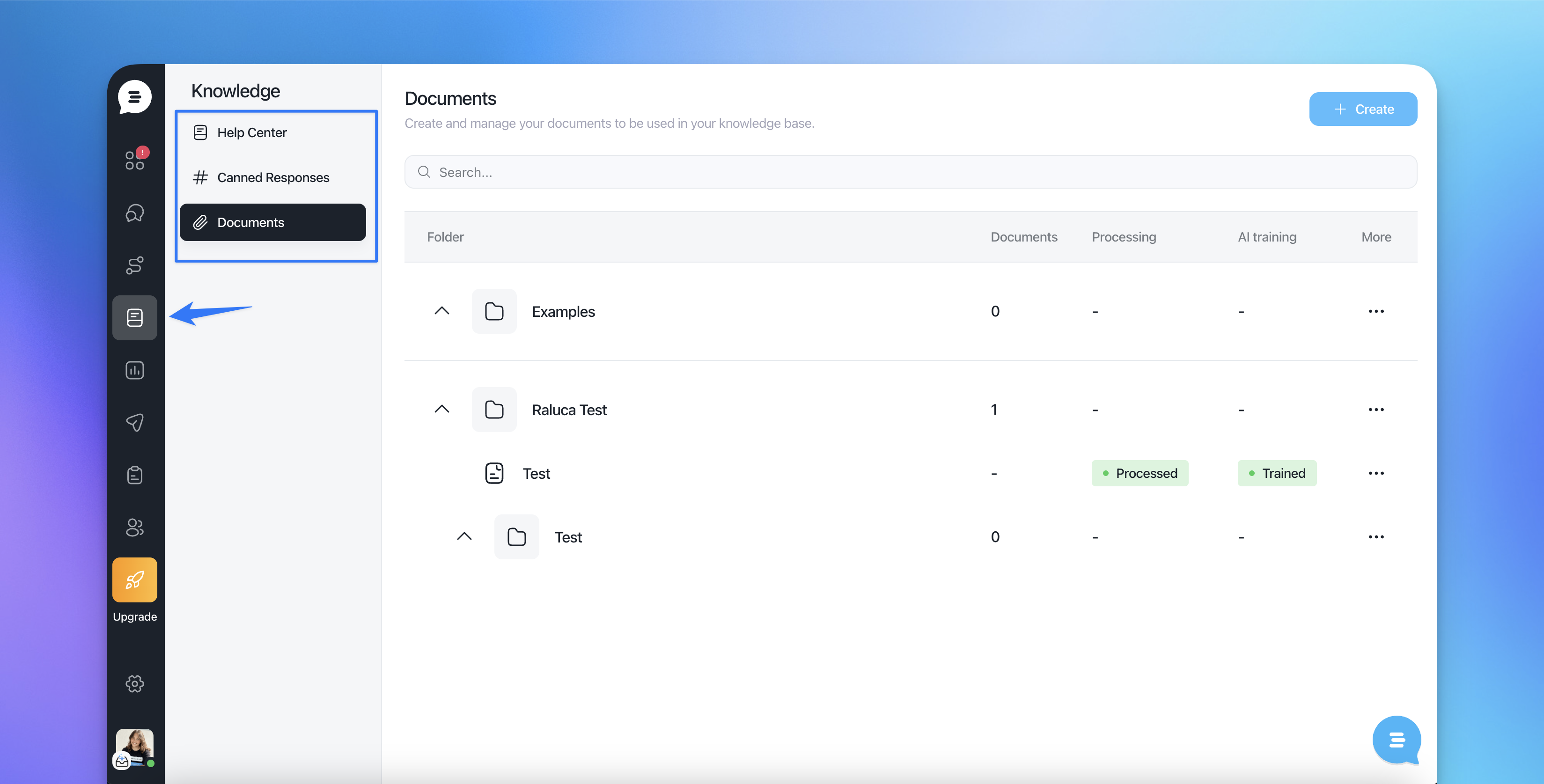
From the left menu, you can switch between three sections:
Help Center – Customer-facing articles, organized in collections.
Canned Responses – Agent-facing saved replies for fast, consistent responses.
Documents – Internal files and documents used as part of your knowledge base.
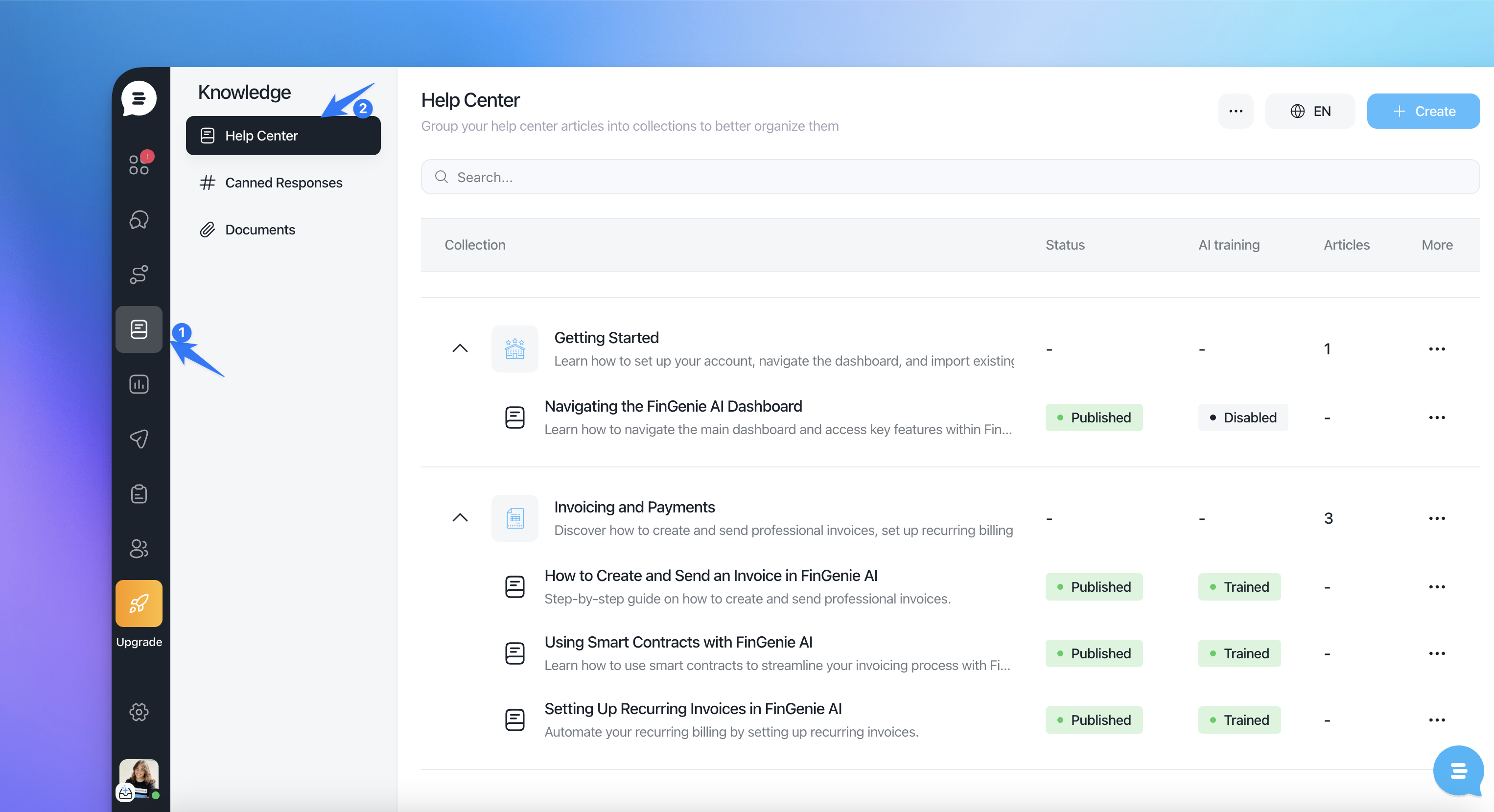
Help Center
The Help Center is your customer-facing knowledge base. Content is organized in a clear hierarchy so it’s easy to maintain and easy for customers to browse.
How content is structured
Collections group related content (e.g., Get started, Billing, Troubleshooting).
Articles live inside collections.
Collections can be expanded/collapsed, so you can quickly navigate large knowledge bases.
What you see in the list
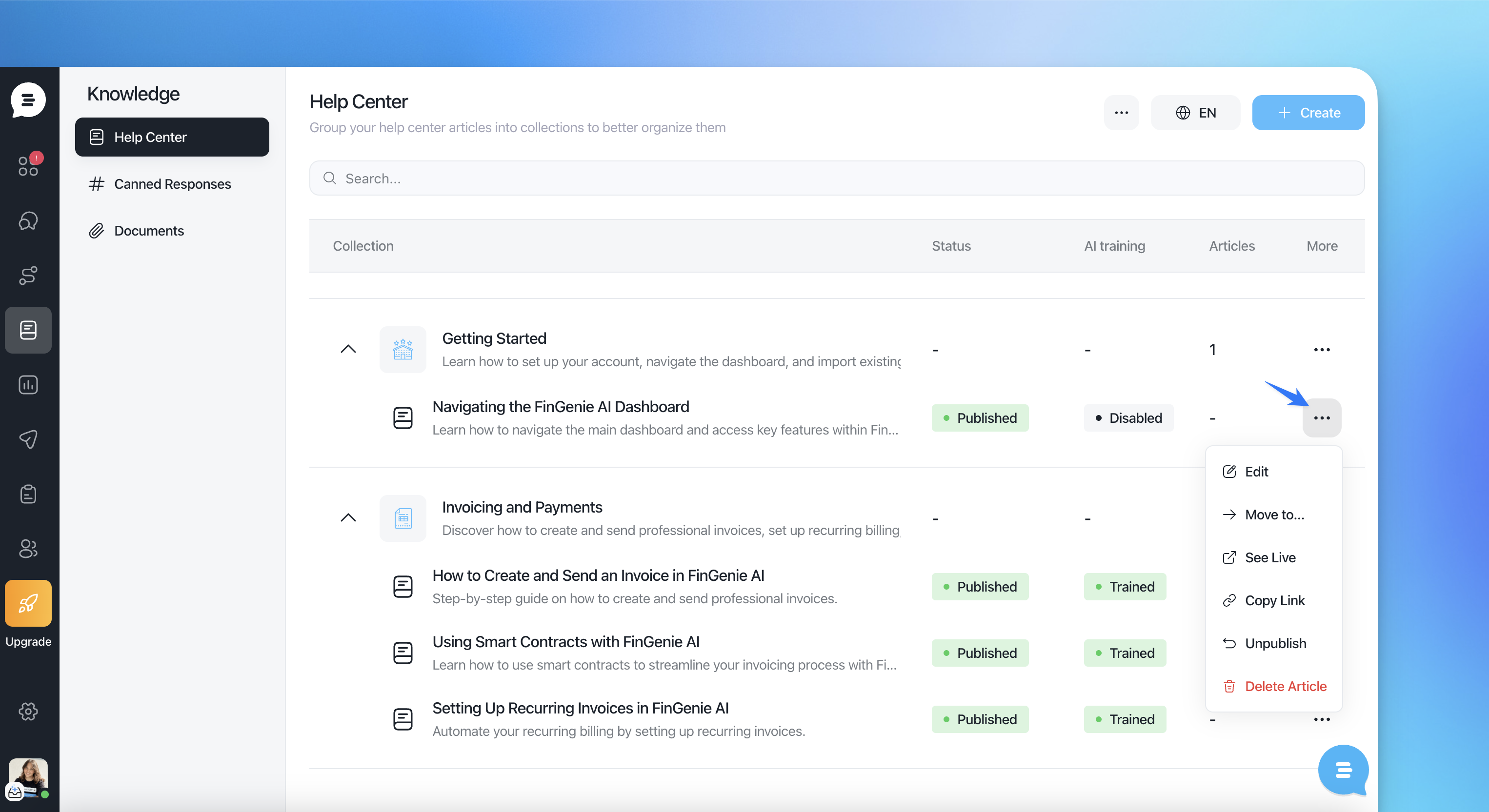
For each collection/article you can quickly review:
Status (e.g., Published vs Draft)
AI training status (e.g., Trained, Training, etc.)
Articles count (for collections)
More (⋯) for actions and management options
Key actions
Search to quickly find any collection or article.
Create (top right) to add new collections or articles.
Language selector (top right, e.g., “EN”) to switch and manage multi-language content.
More options (⋯) to access advanced management tools (such as organizing structure, previewing, checking stats, or importing content—depending on what’s enabled in your workspace).
Canned Responses
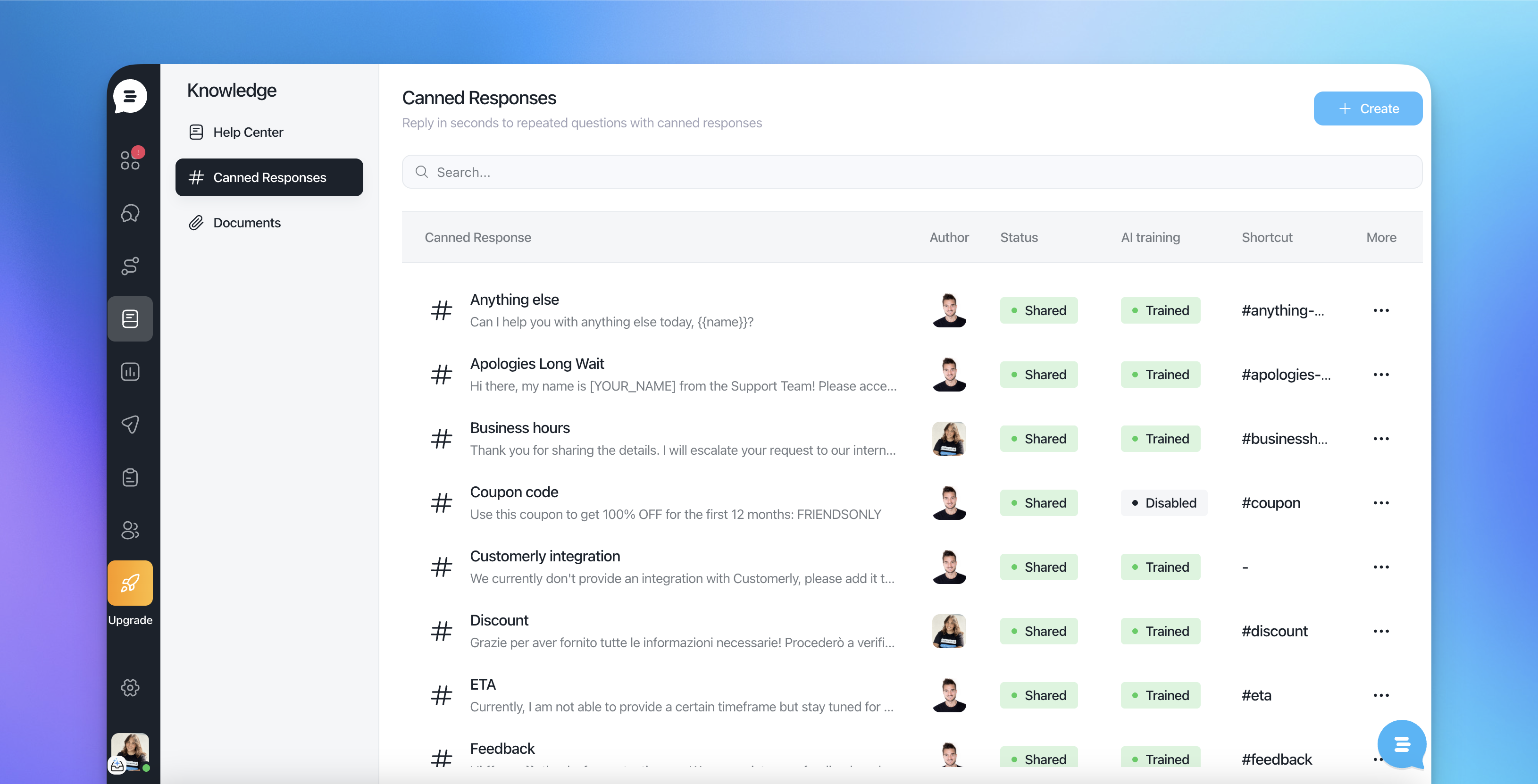
Canned Responses are saved reply templates your team can insert into conversations in seconds. They’re ideal for recurring questions, standard processes, and consistent tone of voice.
What you see in the list
Each canned response includes:
Author
Status (e.g., Private vs Shared for team usage)
AI training (e.g., Disabled or Trained)
Shortcut (e.g.,
#hi,#meeting) to insert the reply quicklyMore (⋯) for edit/duplicate/manage actions
Typical use cases
Greetings and qualification questions
Support macros (refund policy, troubleshooting steps, escalation notes)
Sales replies (pricing, meeting booking, follow-ups)
Internal notes templates (handoff, “added to backlog”, etc.)
Documents
Documents are used to store and manage internal knowledge, especially useful for operational documentation, product specs, policies, or any content you think could be used by Aura and your team.
What you see in the list
Documents are typically organized by:
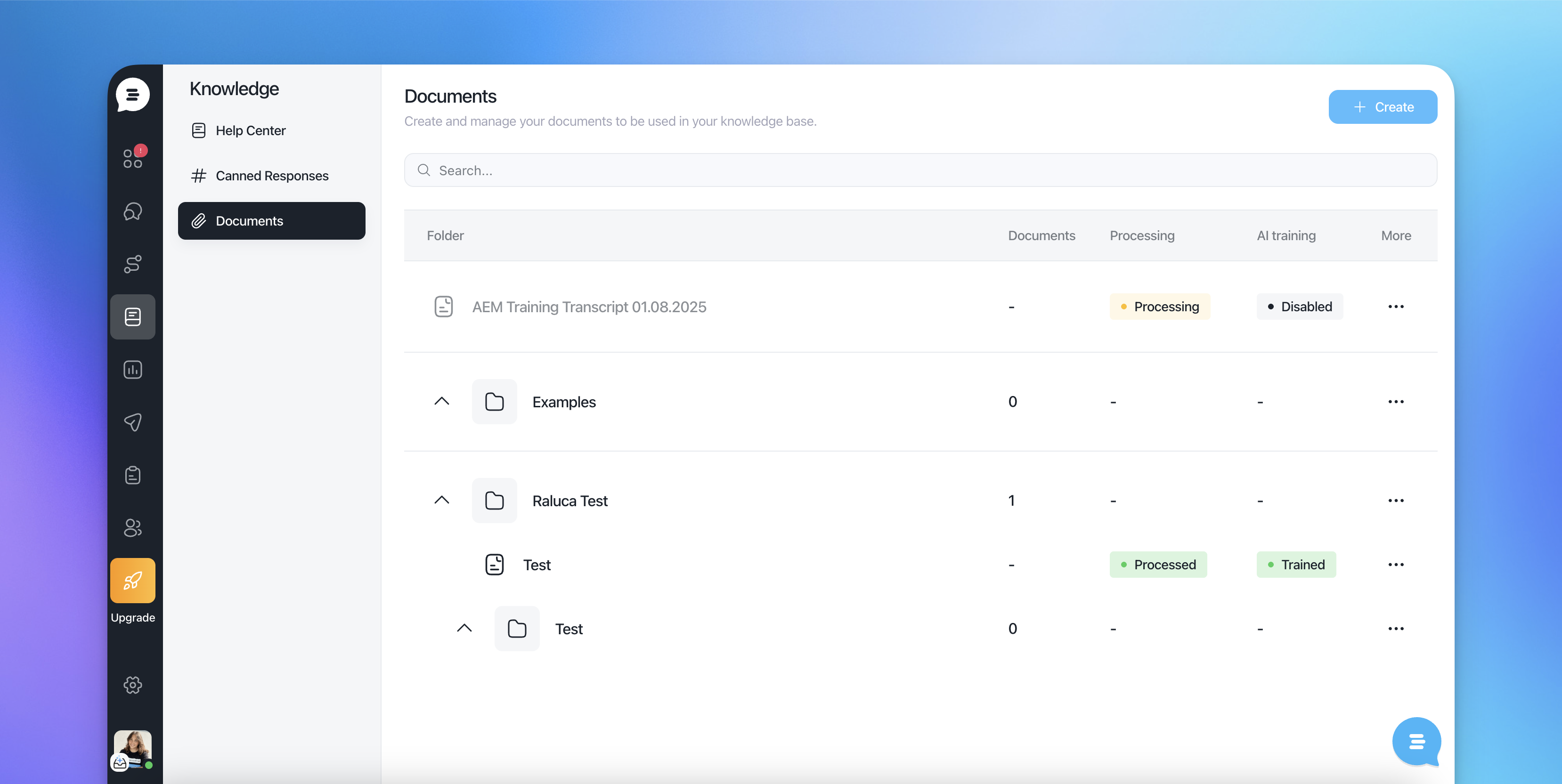
Folder andsubfolders
Documents count
Processing (useful for tracking ingestion or indexing: processing, processed etc)
AI training status: if this document is used by Aura
More (⋯) for actions
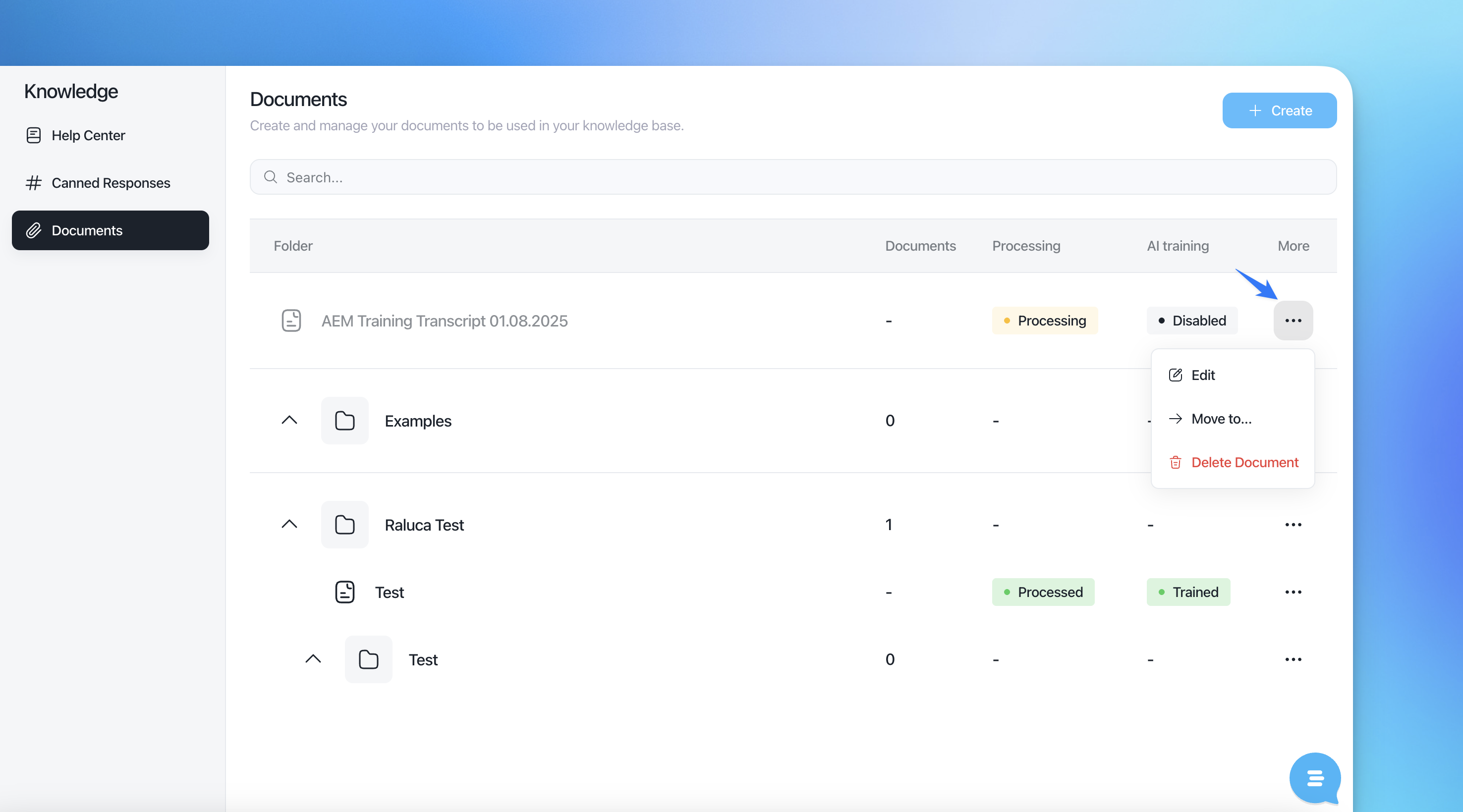
Use Create to add new documents and keep your internal knowledge structured and searchable.
Recommended setup (lightweight)
Start with 3–6 Help Center collections (avoid over-structuring early).
Create 10–20 core canned responses for the most common flows.
Store operational material (SOPs, policies, detailed specs) in Documents, grouped by folder.
Review Status and AI training regularly to keep knowledge current and reliable.