
Introduction to Flows
Flows are Customerly's unified automation system that brings together interactive chat experiences and outbound automation into a single, powerful tool. With Flows, you can build conversational support experiences, automate email sequences, target audiences with precision, manage contact tags and properties, and much more — all from one place.
What Can Flows Do?
Flows combine the best of chat automation and outbound marketing into a single system. Here is what you can accomplish:
Interactive chat experiences: Create guided conversations that present choices, collect data, assign tasks, and resolve customer issues efficiently.
AI-powered support with Aura: Integrate AI Assistants to handle customer queries autonomously, recognize intents, and escalate when necessary.
Email sequences: Build automated email campaigns that nurture and engage your contacts over time.
Audience-based targeting: Trigger automations when contacts match specific audience filters such as properties, events, tags, lists, or segments.
Chat triggers: Proactively engage visitors on your website based on their behavior, page activity, and audience information.
Tag and property management: Automatically assign tags, remove tags, set properties, and fire events on contacts as they move through a Flow.
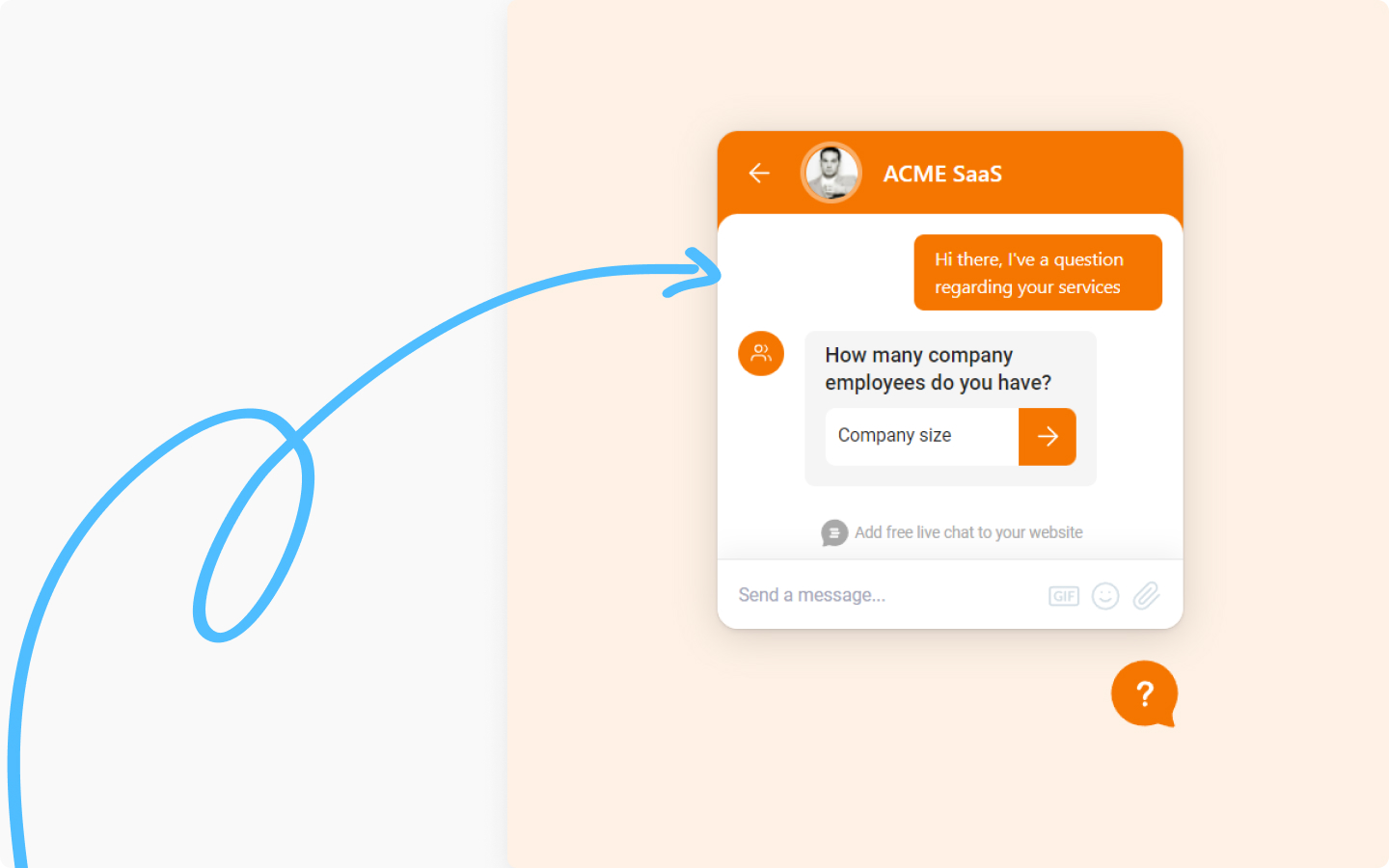
Profiling: Collect lead information with profiling questions to engage with customers at any stage.

The Role of AI in Flows
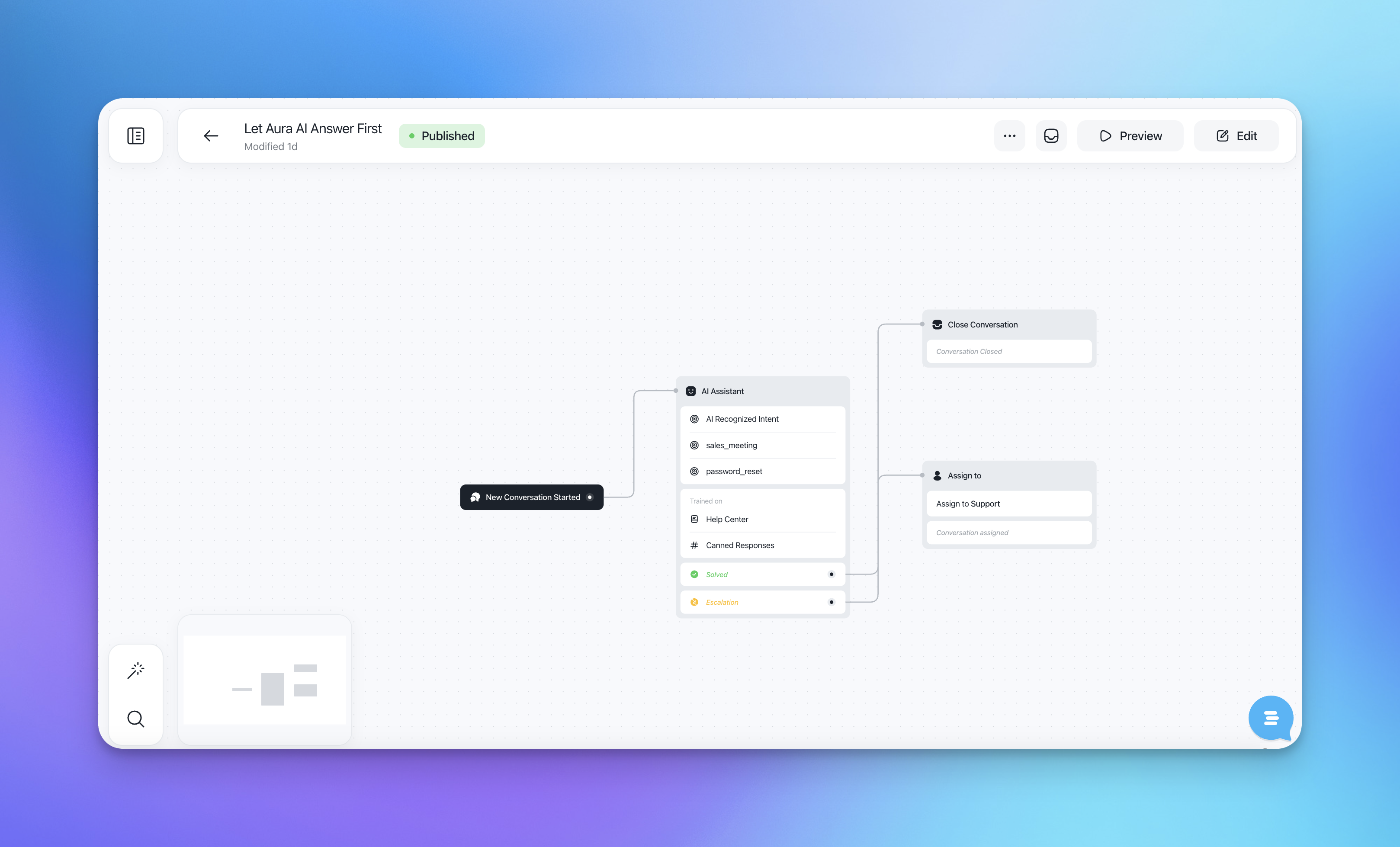
An exciting aspect of Flows is their integration with AI Assistants like Aura. This integration enables seamless and efficient handling of customer queries by automating responses and escalating issues when necessary. AI-first Flows prioritize the use of the AI Assistant to handle initial customer interactions, ensuring quick and accurate responses and identifying intents.
How Flows Are Triggered
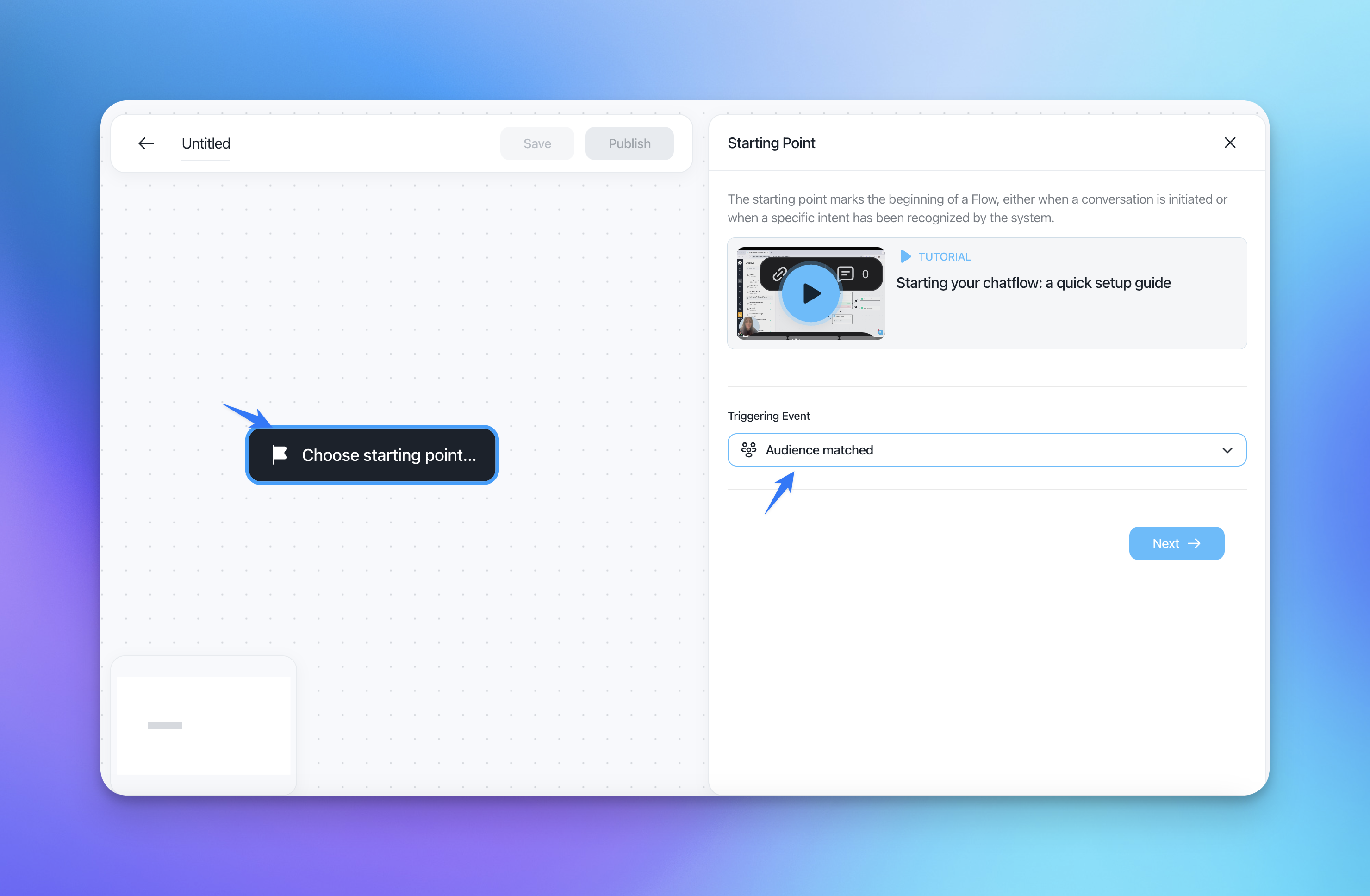
Flows support six triggering events, giving you full control over when automations activate:
New Conversation Started: Activates when a new conversation begins, ideal for engaging customers from their initial contact.
Recognized Intent: Activates when the AI Assistant recognizes a specific intent from the customer's query (requires AI Assistant enabled).
Customer Activity On Page: Activates when a customer performs specific actions on your website, such as visiting a page or spending time on it.
Customer Unresponsive: Activates when a customer becomes inactive during a conversation, enabling re-engagement.
Conversation Closed: Activates when a conversation is marked as closed, commonly used for follow-up actions or external data sync.
Audience Matched: Activates when a contact matches specified audience filters (such as properties, events, tags, lists, or segments). This is the entry point for email sequences, tag assignments, and other automated outbound actions. For example, you can trigger a Flow for all users where "First seen at" is within the last 7 days.
On demand: Activated only manually by triggering it from a conversation in the inbox or by another flow.
Creating a Flow
Designing the Flow: Start by defining the purpose of your Flow. Whether you aim to provide product information, handle customer inquiries, automate support tasks, or run an email nurture sequence, having a clear objective is essential.
Using Intents: Intents act as specialized entry points in your Flow, triggered when a customer's query matches predefined criteria. This makes the process streamlined and focused, eliminating the need for complex branching logic. For an Intent to be recognized you will need an AI Assistant to gather the incoming conversations.
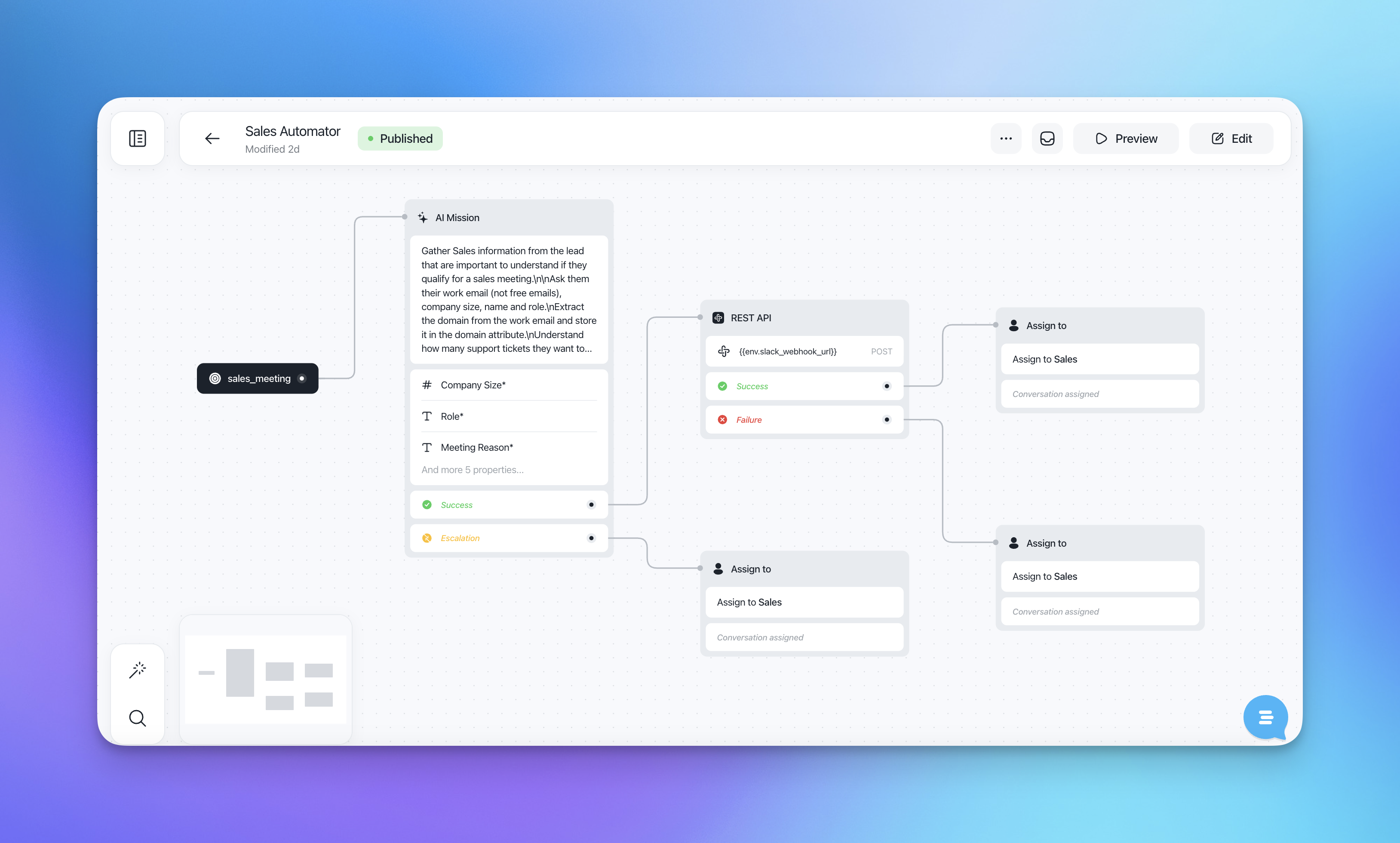
Customizing Actions: Within a Flow, you can customize actions such as sending messages, collecting information, sending emails, assigning tags, setting properties, and escalating issues to human agents. This ensures that each interaction is handled appropriately and efficiently.
Implementing AI-First Flows
Triggering Events: Flows can be triggered by a new conversation starting, by recognizing a new intent, by customer activity on a page, or when a contact matches audience filters. For example, you can set up a Flow to activate when a new conversation starts with a specific audience, such as basic tier plan customers who will first interact with the AI Assistant.
Defining Audience: Specify the audience for different Flows. For instance, subscribers can be directed to human support while non-subscribers are managed by the AI Assistant initially. Use the flexibility of Customerly Filters to restrict the Flows to specific audiences.
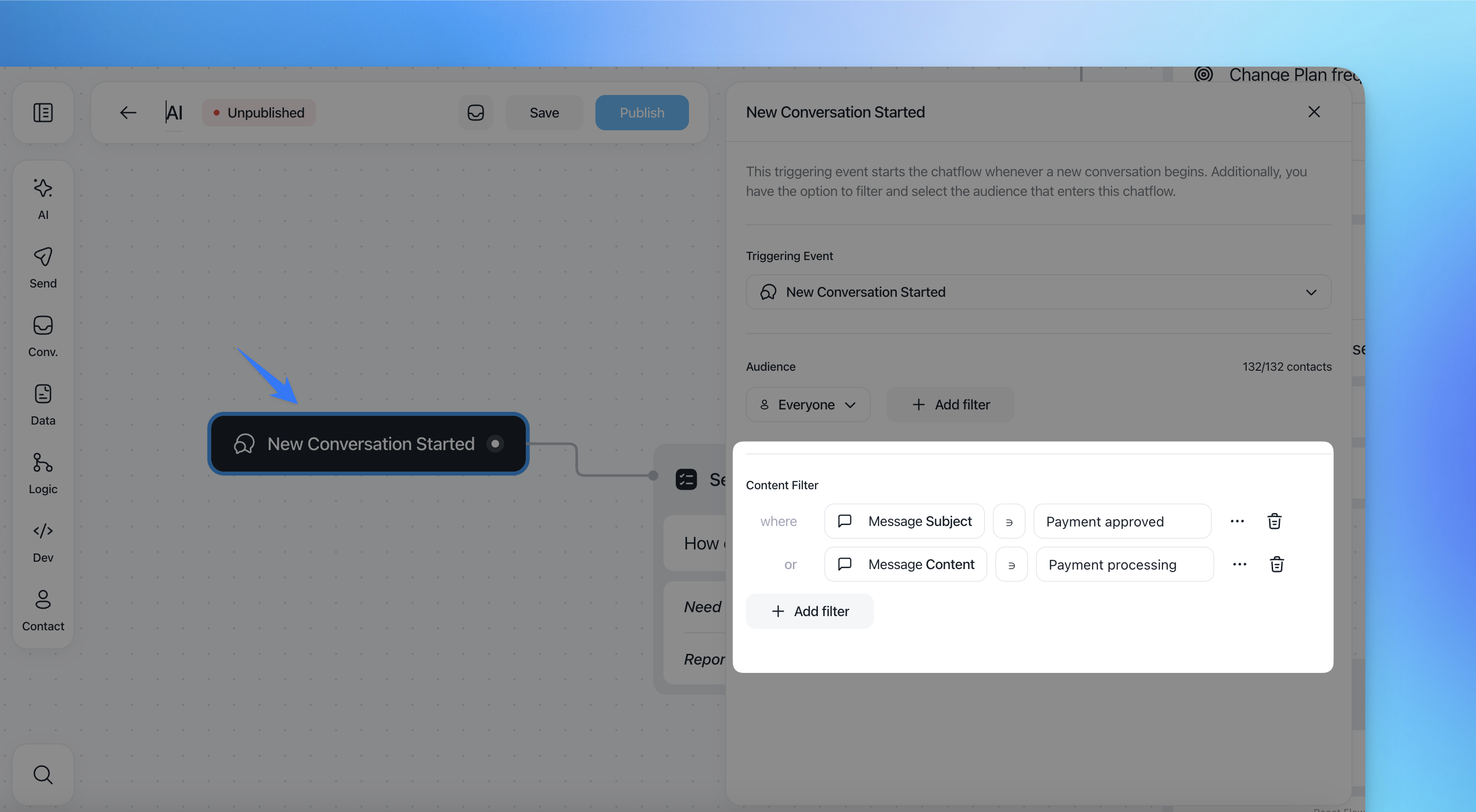
Filtering Content: It is possible to filter in the trigger event the audience by specifying the content:
subject content
message content
Note: Since there is no priority in Flow execution, no more than one Flow can exist for a specific audience to ensure the audience enrollment and correct execution.
Assigning Tasks: The AI Assistant handles the initial queries and assigns tasks or escalates issues to human agents when necessary.
Email and Outbound Use Cases
Flows also power your outbound automation. Using the "Audience Matched" triggering event, you can build sequences of automated emails that target your existing contacts, nurture leads, and engage with your audience. Flows built on audience matching are triggered by your contacts' data and behavior, making your outreach precise and automated.
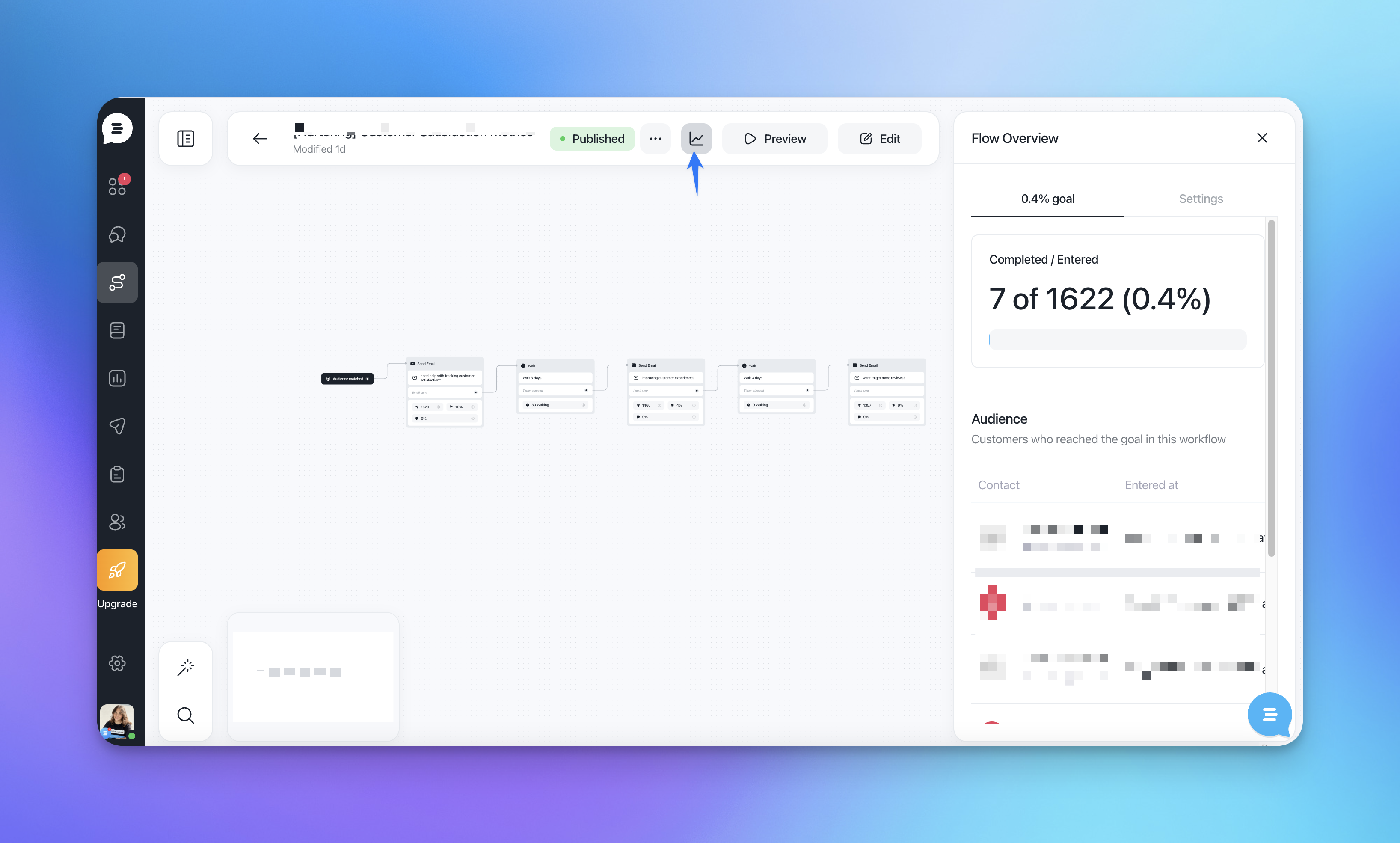
You can see the overview of any active Flow:
Customers who entered this Flow.
Customers who reached the goal in this Flow.
Benefits of Flows
Interactivity: Flows allow customers to make choices during the conversation, enhancing their engagement and satisfaction.
Efficiency: By automating routine tasks — both in chat and via email — Flows free up your support and marketing teams to focus on more complex issues.
Flexibility: Easily customize and update Flows to align with changing business needs and customer expectations.
Unified Platform: Manage chat-based interactions, email campaigns, audience targeting, tag management, and contact property updates all within one system.
Example Use Cases
AI-First Approach: Create a Flow that directs non-subscribers to the AI Assistant first. The AI Assistant, trained on help center articles and canned responses, handles queries and can escalate to human support if needed.
Intent-Based Flow: Set up a Flow triggered by specific intents, such as a sales demo request. The AI Assistant identifies the intent, gathers necessary information, and performs actions like scheduling a demo or collecting customer data.
Onboarding Email Sequence: Create a Flow with the "Audience Matched" trigger that sends a series of onboarding emails to all users who signed up within the last 7 days, with wait times and conditional checks between each email.
Proactive Chat Engagement: Set up a Flow triggered by "Customer Activity On Page" to proactively offer assistance when a customer is browsing your pricing page.
Re-engagement Campaign: Combine audience matching with email and chat message actions to re-engage inactive contacts automatically.
Best Practices
Keep It Simple: Design your Flows to be straightforward and easy to follow. Overly complex flows can confuse customers and reduce efficiency.
Regular Updates: Regularly review and update your Flows based on customer feedback and interaction data to ensure they remain effective.
Integration: Leverage the power of AI Missions and other Customerly features to enhance your Flows, making them more robust and capable of handling a variety of tasks.
Inbox and Flows
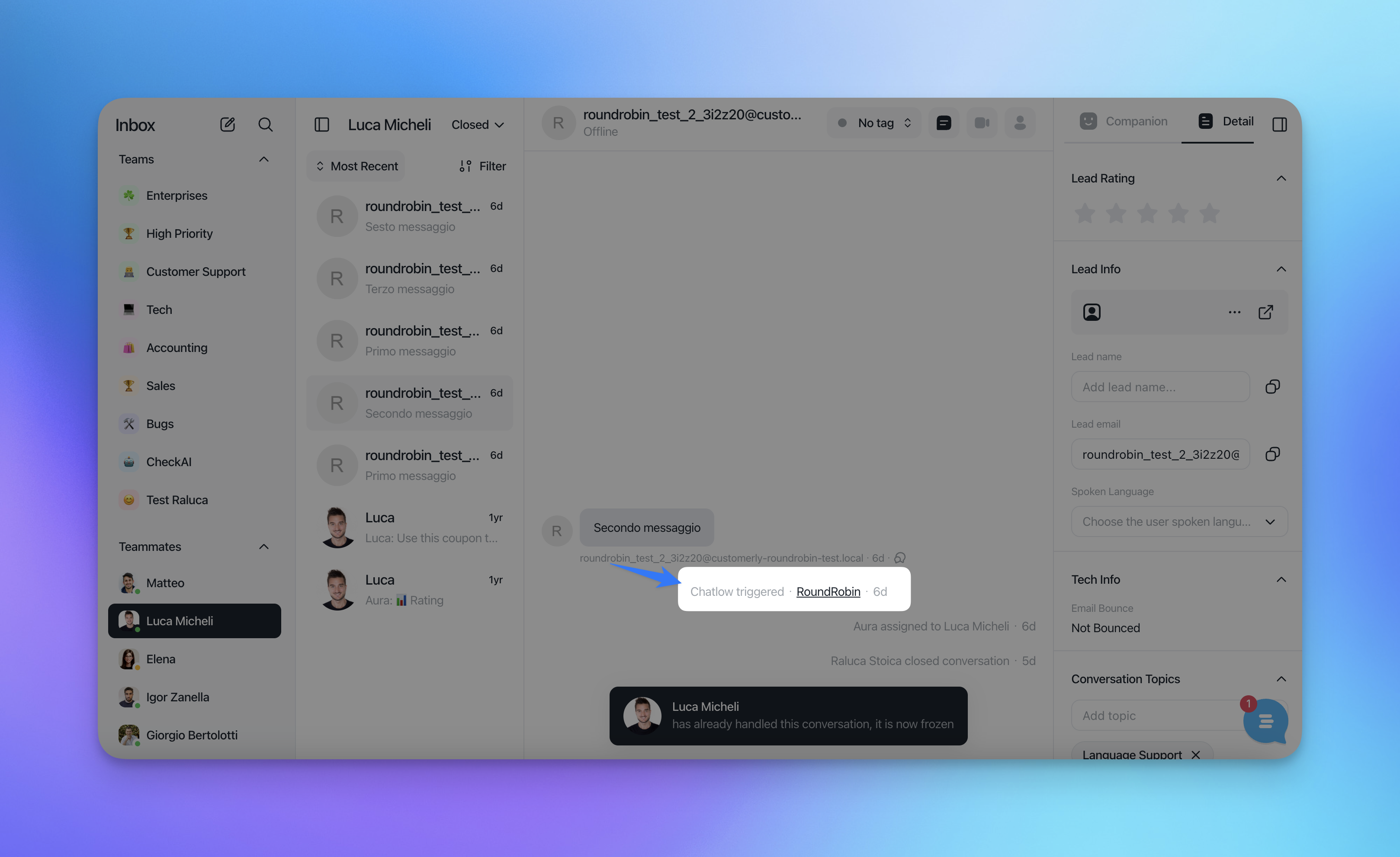
When a conversation triggers a Flow you will be able to see which was triggered and when in any conversation. You can also click on the name of the Flow to get to the flow and analyse why it was triggered.
By effectively utilizing Flows and integrating them with AI Assistants, you can create a more engaging and efficient customer support and outreach experience, ultimately leading to higher satisfaction and better outcomes for your business.