
Help Center is one of the key features to your customer success as well as the live chat integrated on your website or an app. Combining the live chat and the Help Center will give astonishing results. Your customers will be able to search for your Help Center articles right in the live chat.

Here you can find a quick tutorial on how to add your knowledge base to your live chat:
How do I integrate my Help Center into the live chat?
For to the Help Center on the left sidebar and click on "Messenger".
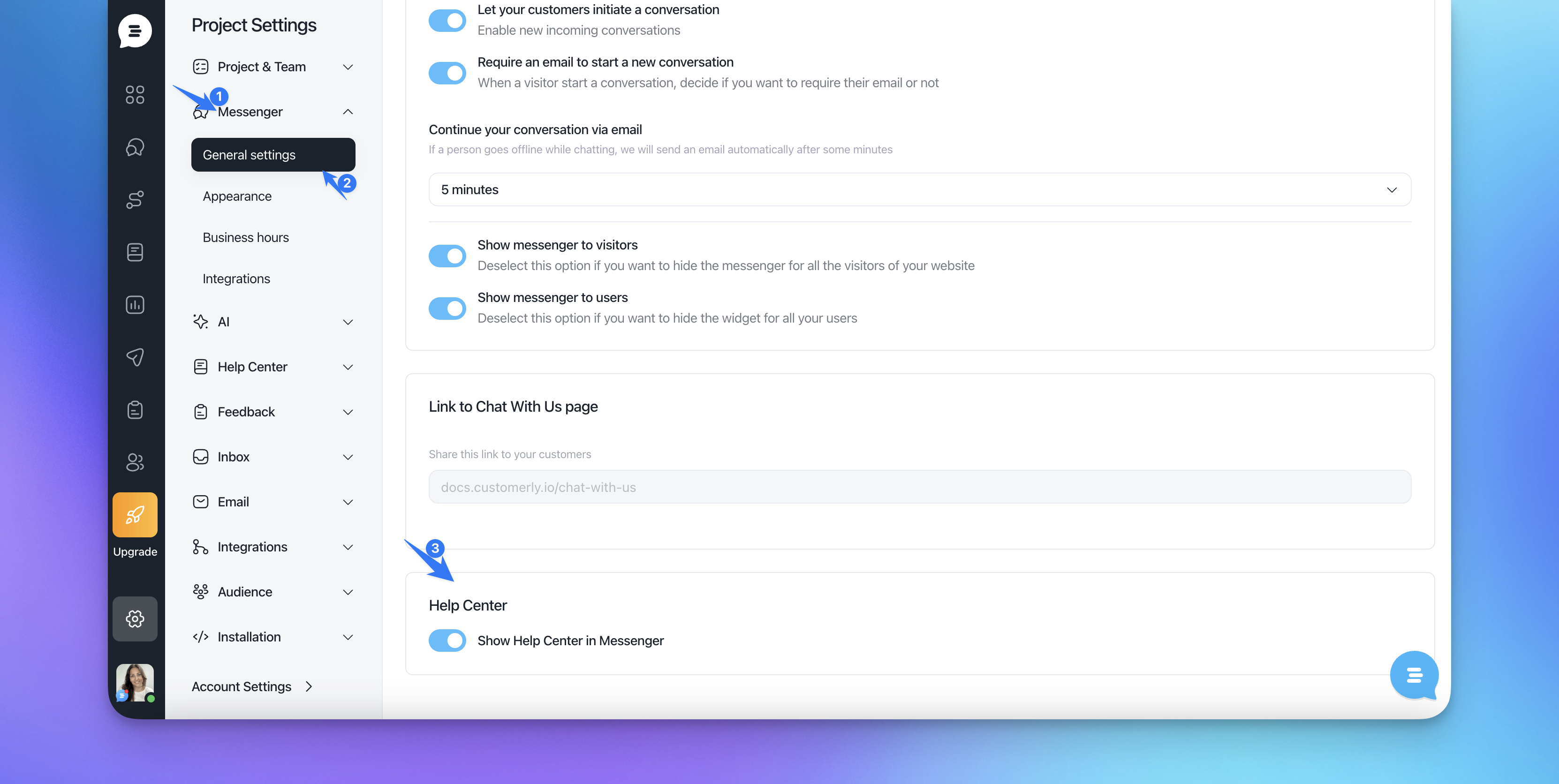
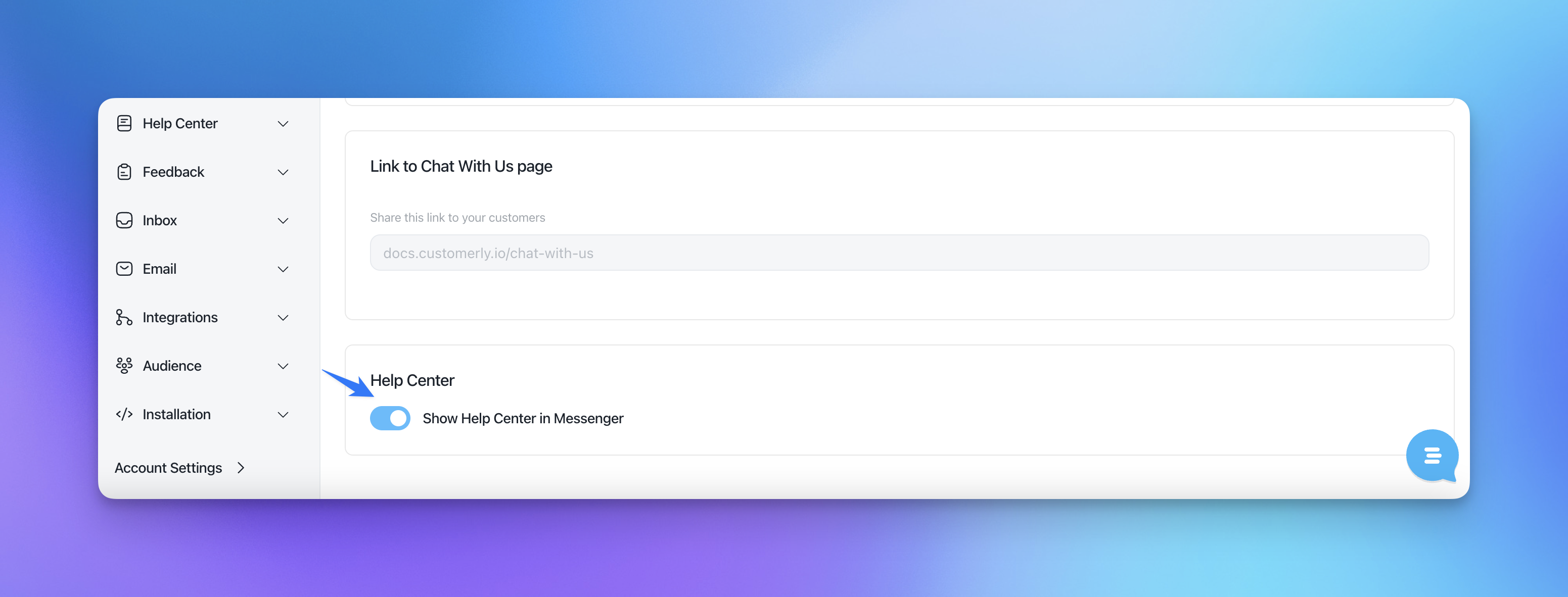
To show the Help Center in the live chat, switch the toggle to the right.
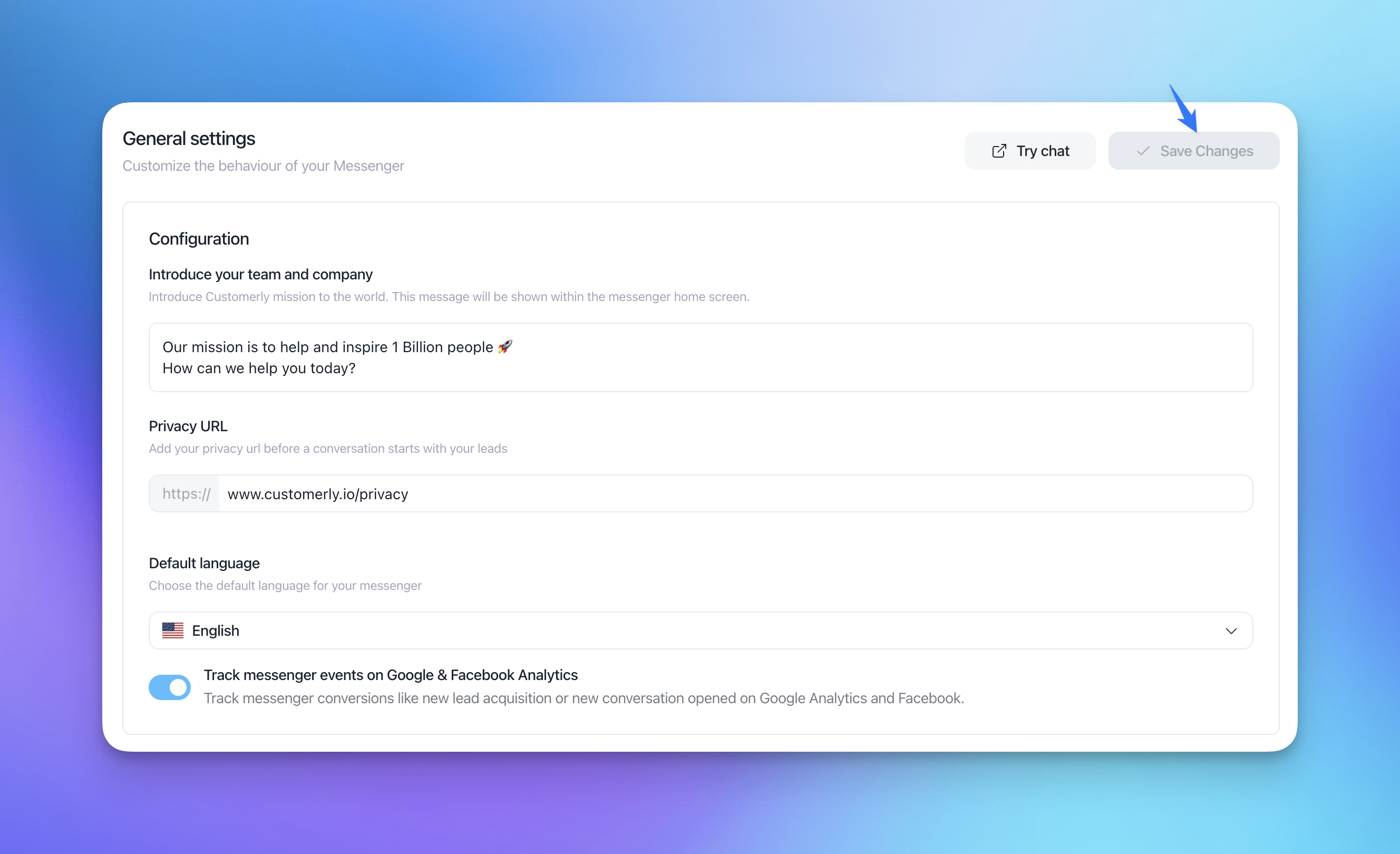
Save the settings.
Open a Help Center link outside the Messenger
If your website has links to your Help Center and the Messenger with the Help Center is installed on the same site, clicking one of those links opens the article inside the Messenger.
To open a specific link normally, in the browser, add the data-customerly-ignore attribute to it. Links with this attribute are ignored by the Messenger and behave like any other link.
<a href="https://help.example.com/en/collections/12345-getting-started" data-customerly-ignore>
  Getting started
</a>
Links without the attribute keep opening inside the Messenger, so you can choose link by link.