
You can now run privacy-compliant email marketing in Customerly without losing the metrics you rely on. We built these controls in response to the Italian Data Protection Authority's guidance on tracking pixels, and every new setting keeps your current behavior by default, so nothing changes until you choose.
This article covers:
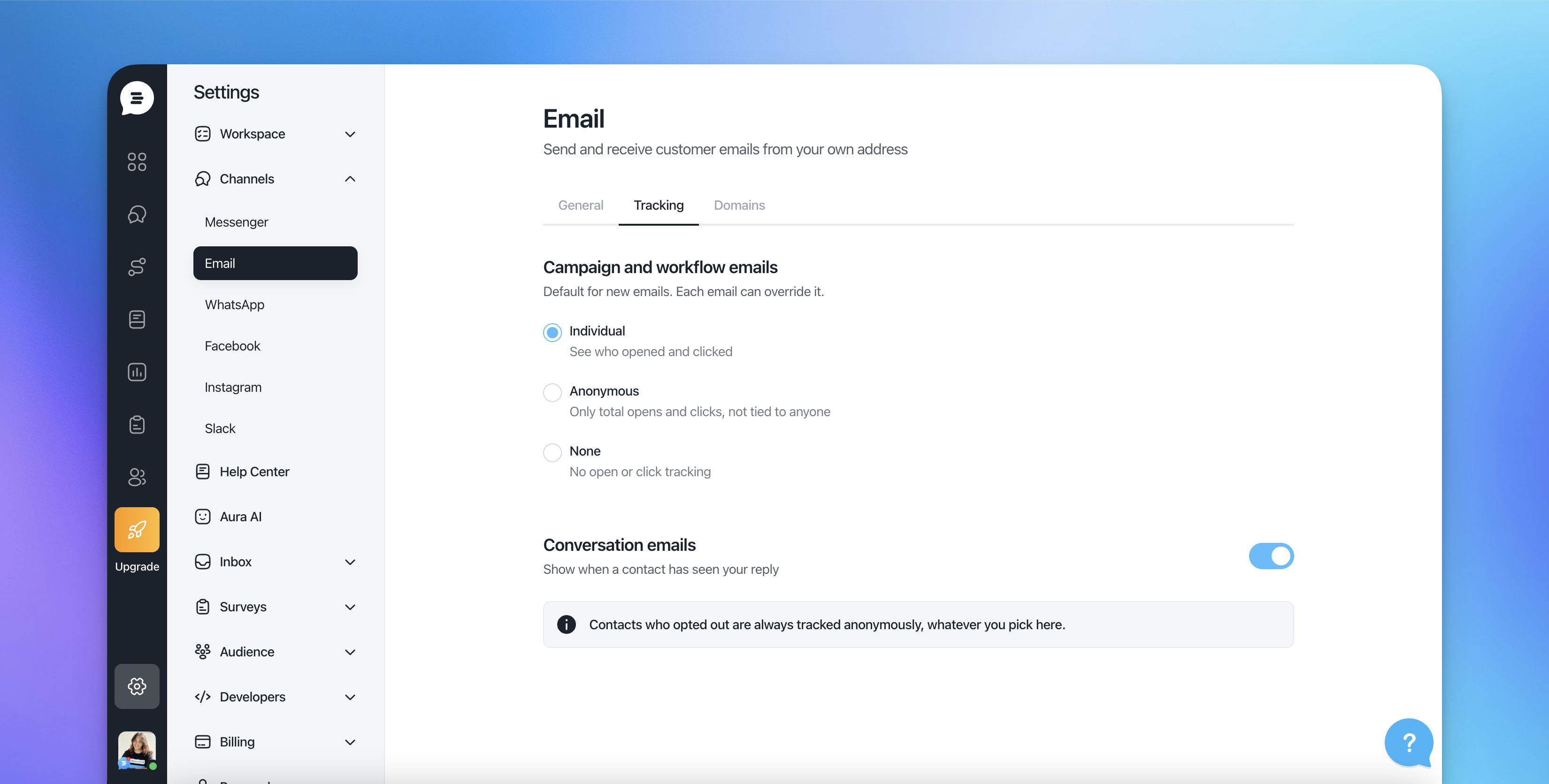
The three tracking modes for opens and clicks
The new Manage email preferences page your contacts see
Anonymous statistics and bot filtering
Sending legally required messages to unsubscribed contacts
Choose a tracking mode for opens and clicks
There are three tracking modes for opens and clicks:
Mode | What it means |
|---|---|
Individual | Opens and clicks are recorded for each contact, as before. |
Anonymous | Opens and clicks are counted in your statistics but not tied to an individual contact. |
None | Opens and clicks are not tracked. |
Set a project default for campaigns and workflows, then override it on any single email.
Good to know: Every new setting keeps your current behavior by default. Your existing emails keep tracking as they do today until you change the mode.
Let contacts manage their own preferences
The old unsubscribe page is now a Manage email preferences page. Contacts can opt out of tracking and still receive your emails, so a privacy-conscious reader doesn't have to leave your list to stop being tracked.
Every change a contact makes is logged in their contact history, so you always have a record of their choices.
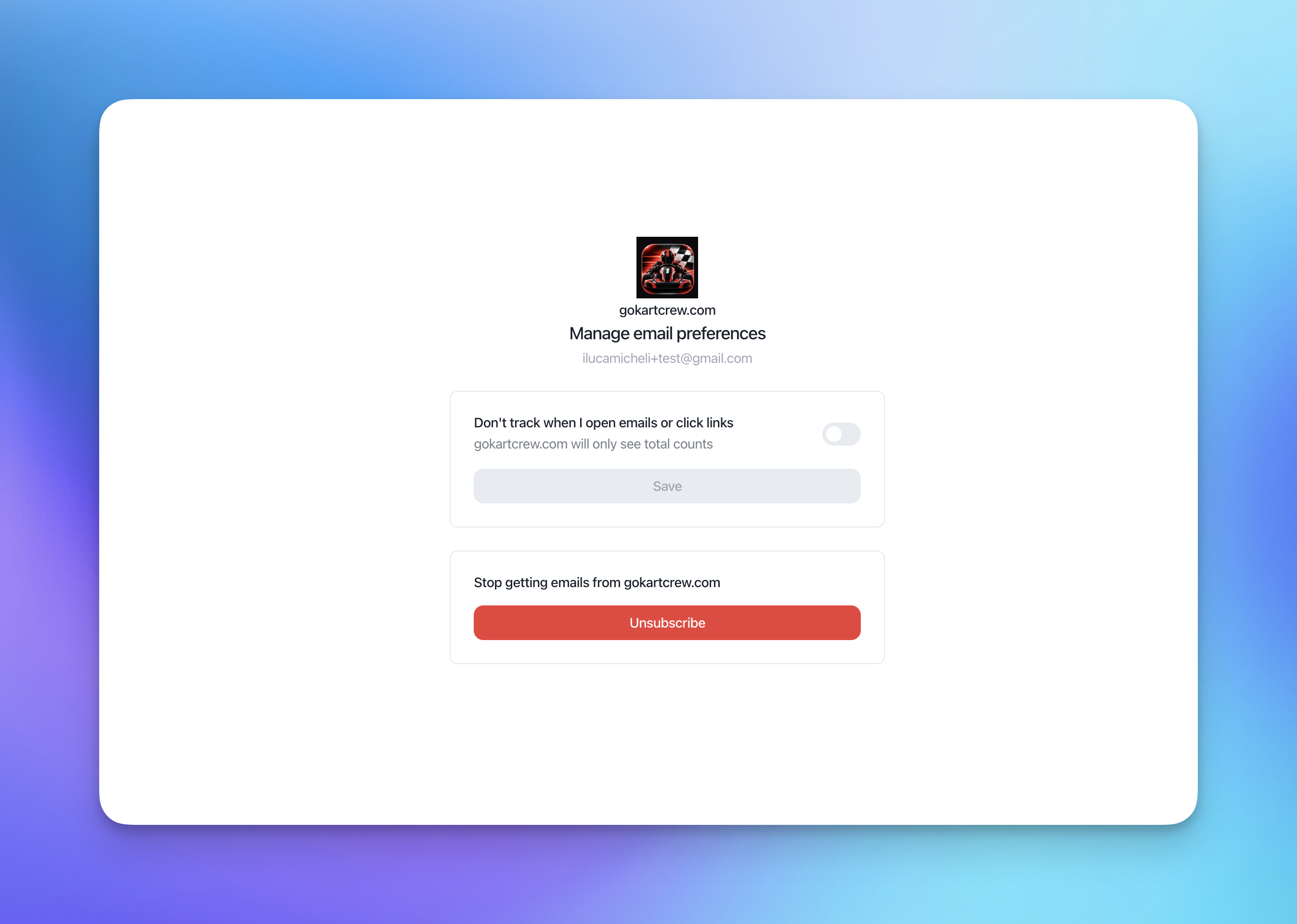
Heads up: The link at the bottom of your emails now reads Manage preferences instead of Unsubscribe. If your templates, help articles or team documentation mention the old wording, update them.
Numbers you can trust
Anonymous statistics keep your open and click rates. You still see how your emails perform, without tracking individual contacts.
Bot activity is ignored. Opens and clicks from bots are no longer counted, so your numbers reflect real people.
Send mandatory communications
You can now send an email to unsubscribed contacts, only for legally required messages such as terms updates or data breach notices.
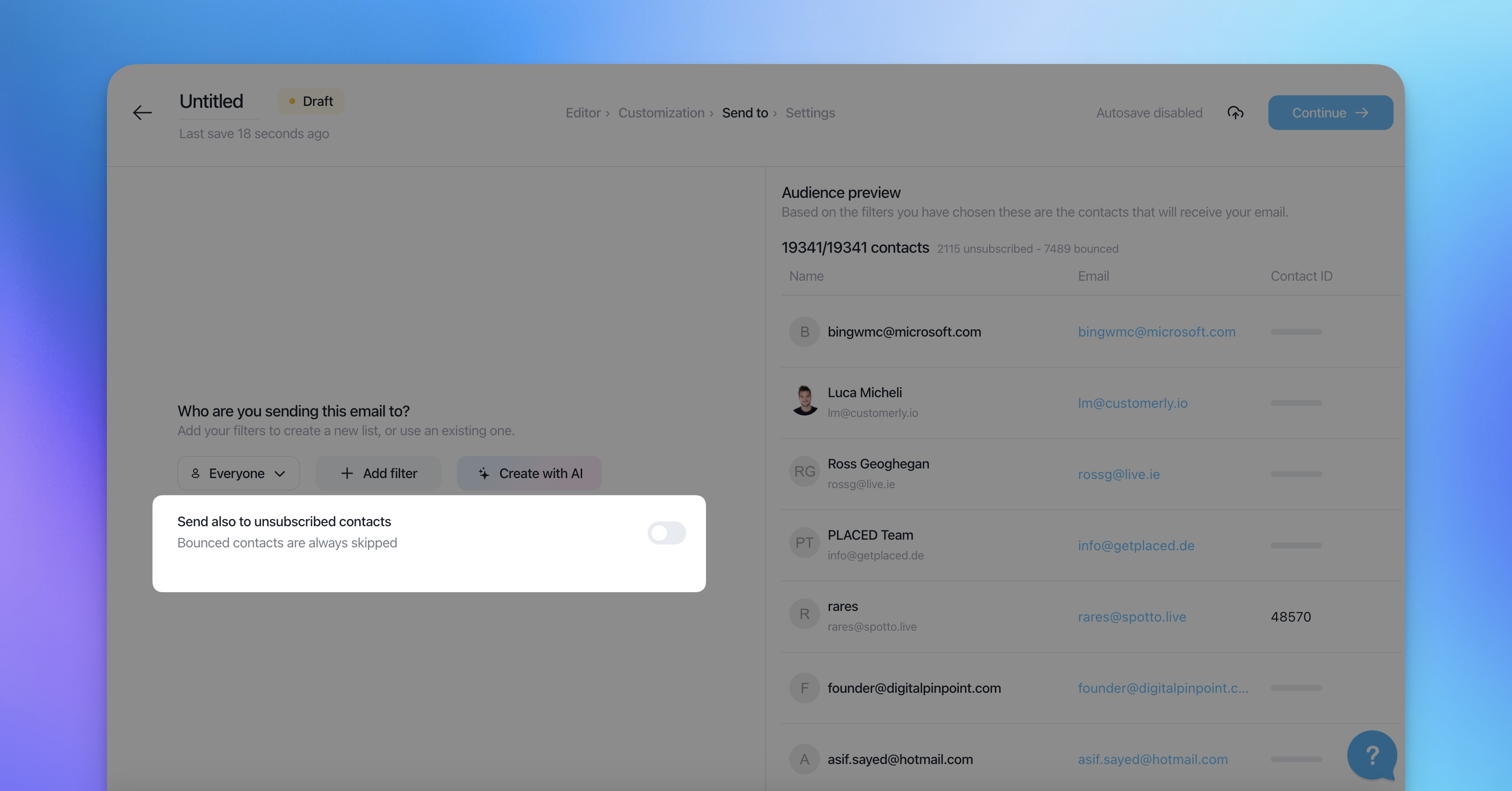
Important: Use this only for messages you are legally required to send. Marketing, promotions and newsletters must never go to unsubscribed contacts.
Frequently asked questions
Will my current tracking change automatically? No. Every new setting keeps your current behavior by default.
Can I use a different mode for a single email? Yes. Set a project default for campaigns and workflows, then override it on any single email.
If a contact opts out of tracking, do they still get my emails? Yes. They only stop being tracked, and the change is logged in their contact history.
Why does my email footer say "Manage preferences" now? The unsubscribe page is now a Manage email preferences page, so the footer link was renamed to match.
Do bot opens and clicks count in my statistics? No. Opens and clicks from bots are ignored.