
Lite users are team members with read-only access to the entire project. They're designed for people who need visibility into what's happening — tickets, conversations, dashboards, data — without needing to take direct action on the day-to-day work.
What Lite users can do
View every section of the project they have access to
Browse conversations, tickets, reports, and dashboards
Stay up to date on the team's activity without needing broader permissions
What they can't do
Edit content, settings, or data
Export information
Reply to conversations or tickets
Cost
Lite access is free: you can invite as many Lite users as you like with no impact on your paid plan.
How to invite a Lite user
Go to the Team section of your account
Click Invite new teammates
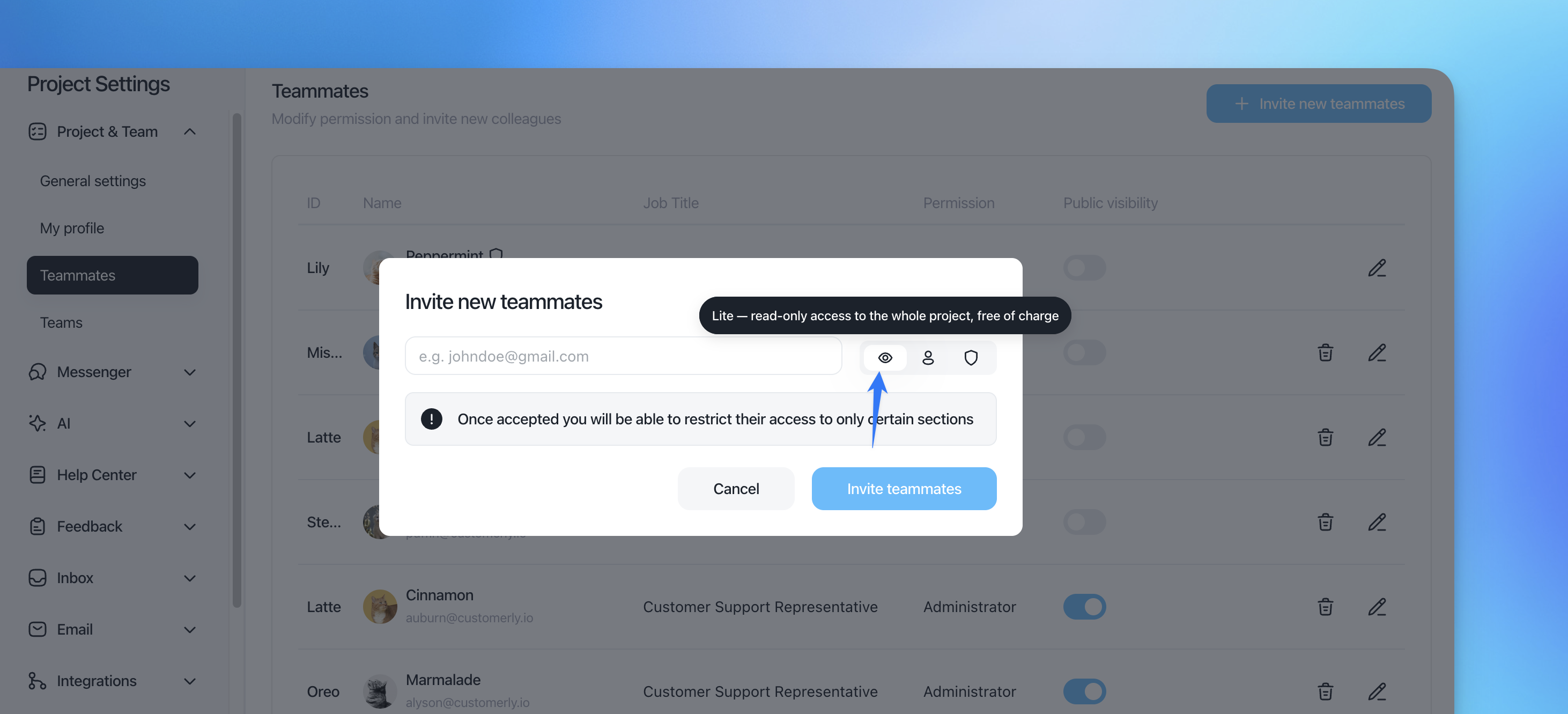
Enter the email address of the person you want to invite
Select the eye icon (👁) to assign the Lite permission
Click Invite teammates
Once the invite is accepted, you'll still be able to restrict that user's access to specific sections of the project if needed.