The AI Effectiveness area helps your team monitor, evaluate, and improve Aura’s responses over time.
With reviews, your team can provide direct feedback on AI-generated replies and conversations, helping identify accurate responses, areas that need improvement, or hallucinated answers.
What can be reviewed?
You can review Aura’s performance in two different ways:
Single AI message review
You can review an individual Aura response directly inside a conversation.
This option is available:
On open conversations
On closed conversations
For any individual AI-generated reply
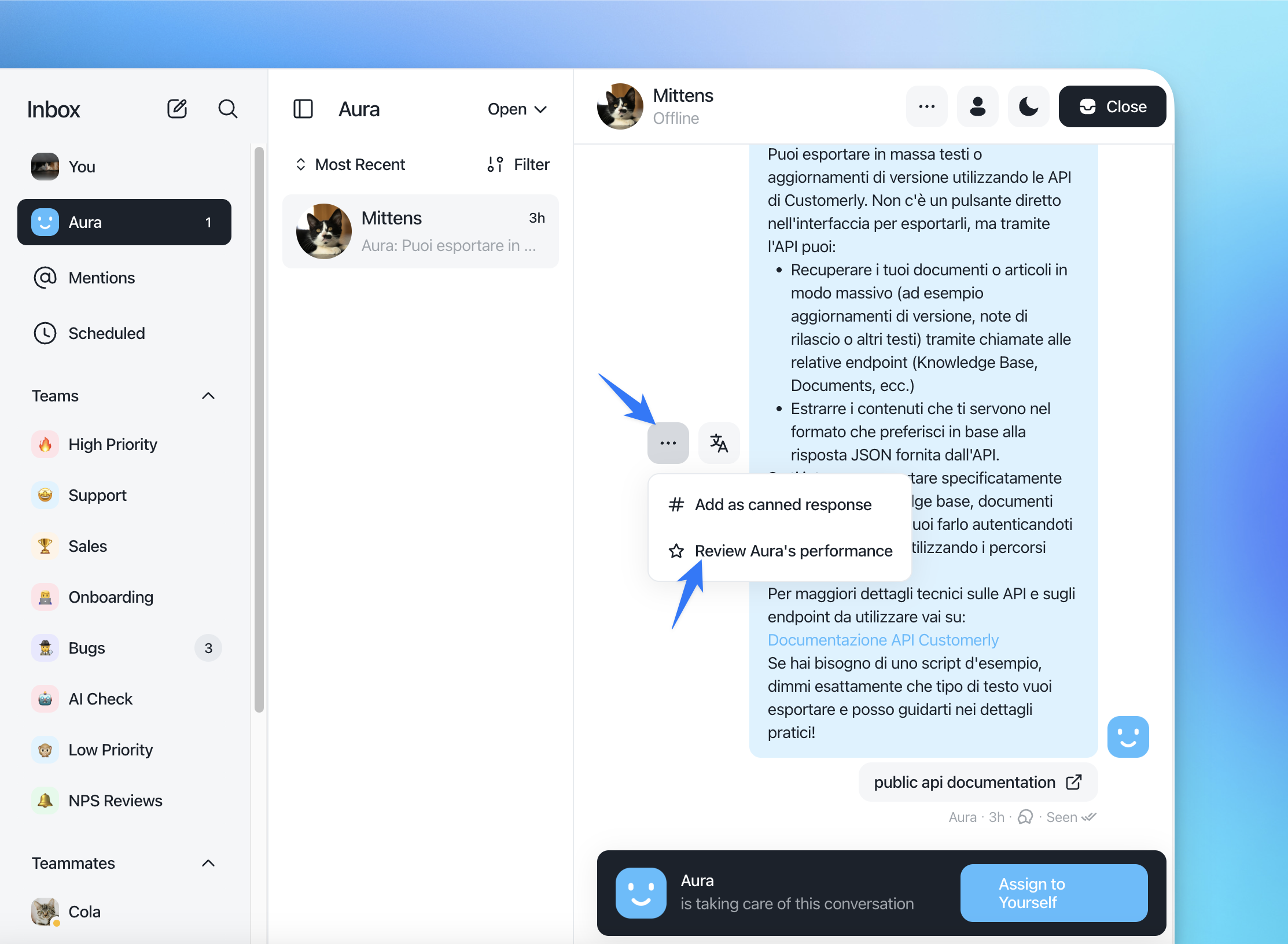
To review a single message:
Open a conversation containing a response generated by Aura.
Hover the AI message.
Click the
⋯menu.Select Review Aura's performance.
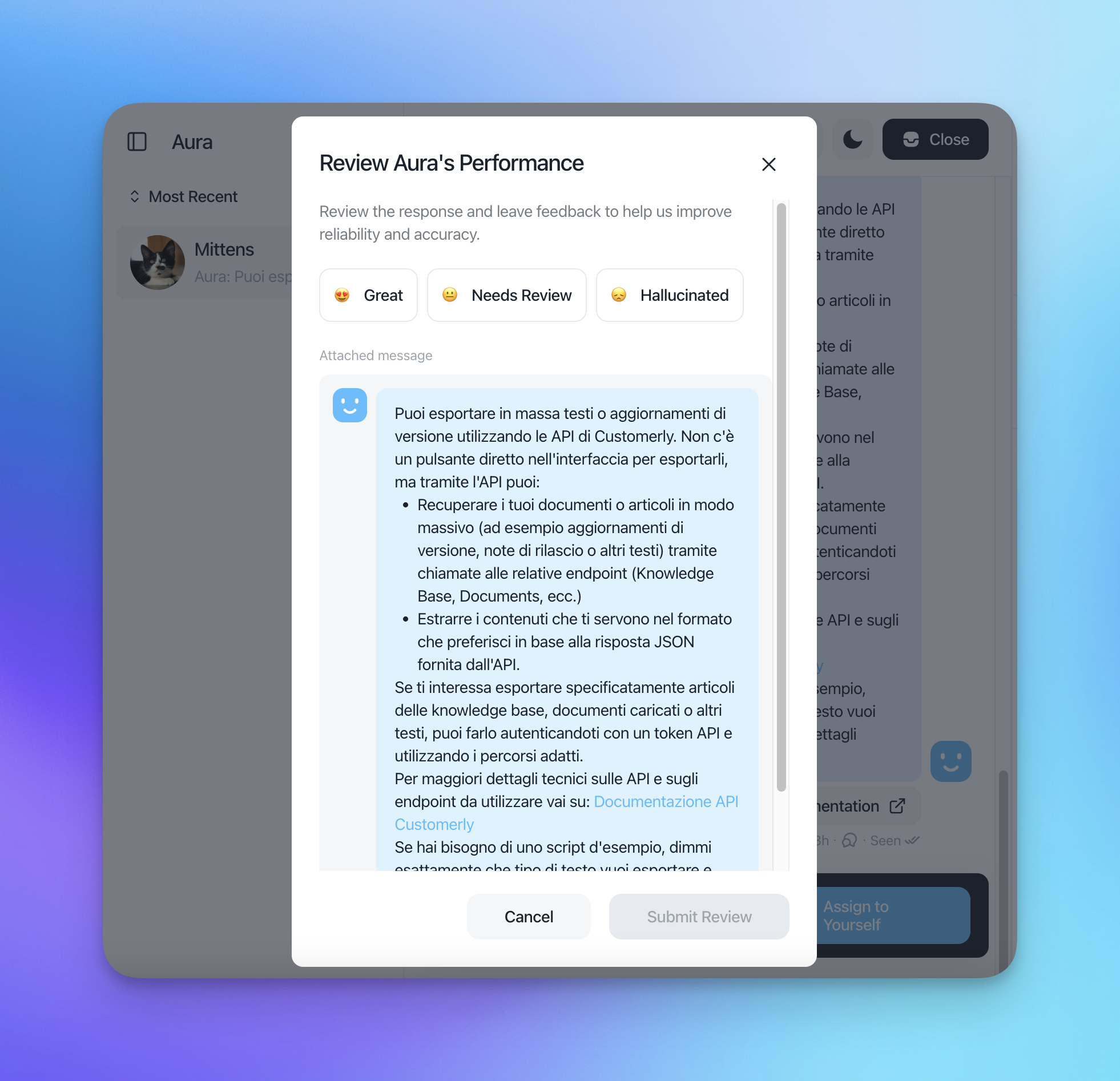
A review modal will appear where you can:
Mark the response as:
😍 Great
😐 Needs Review
😞 Hallucinated
Optionally add contextual feedback
Submit the review
The reviewed message will then appear inside the AI Effectiveness section.
Entire conversation review
You can also review Aura’s performance for the full conversation experience.
This option is available only when the conversation is closed.
Conversation-level reviews are useful when you want to evaluate:
The overall AI assistance quality
Resolution accuracy
Escalation handling
Customer experience across the full interaction
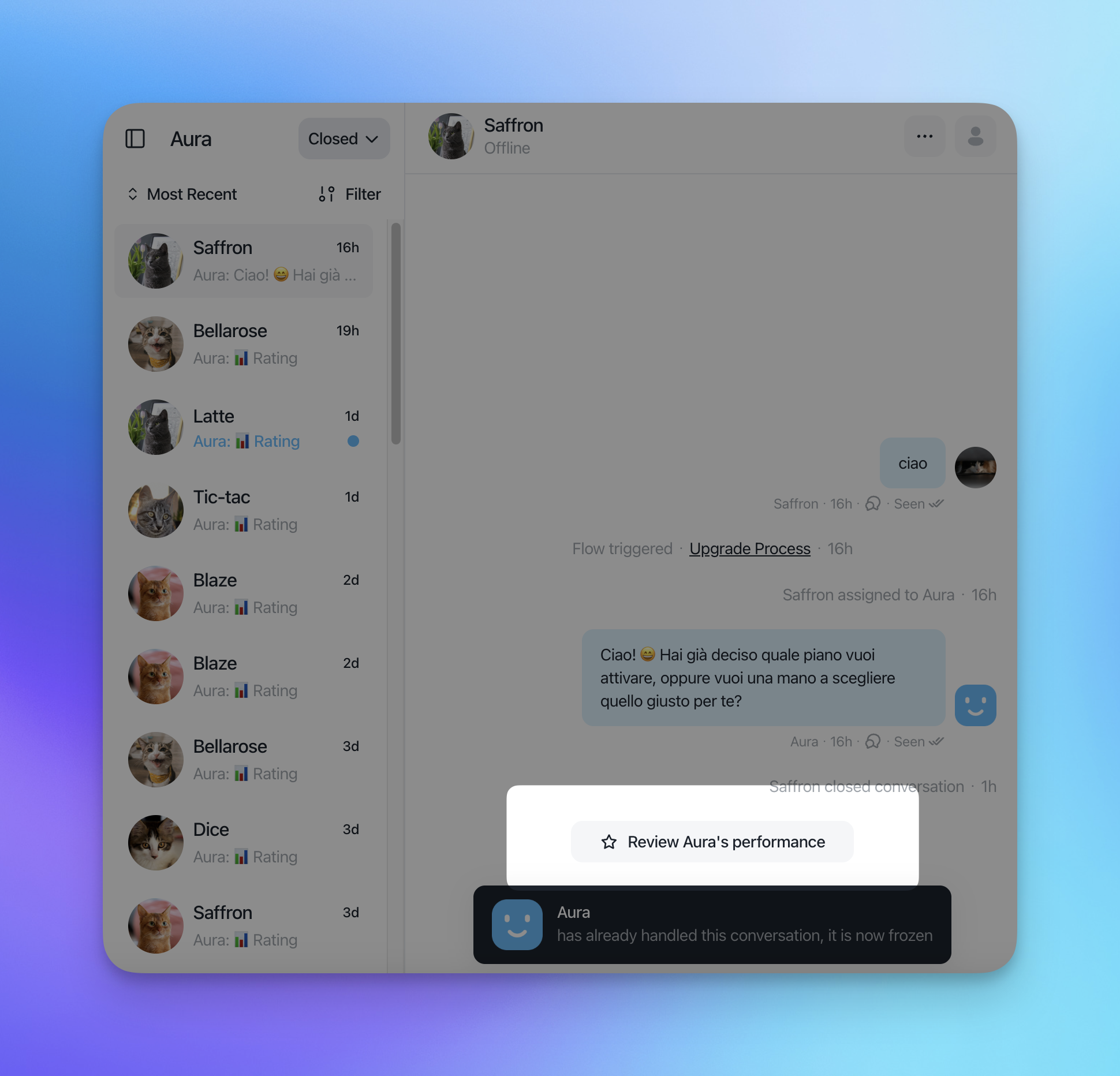
To review an entire conversation:
Open a closed conversation.
Use the conversation review option.
Select the review result:
😍 Great
😐 Needs Review
😞 Hallucinated
Optionally add feedback and context.
Submit the review.
Accessing AI Effectiveness
To access all submitted reviews:
Go to Insights.
Open AI Effectiveness.
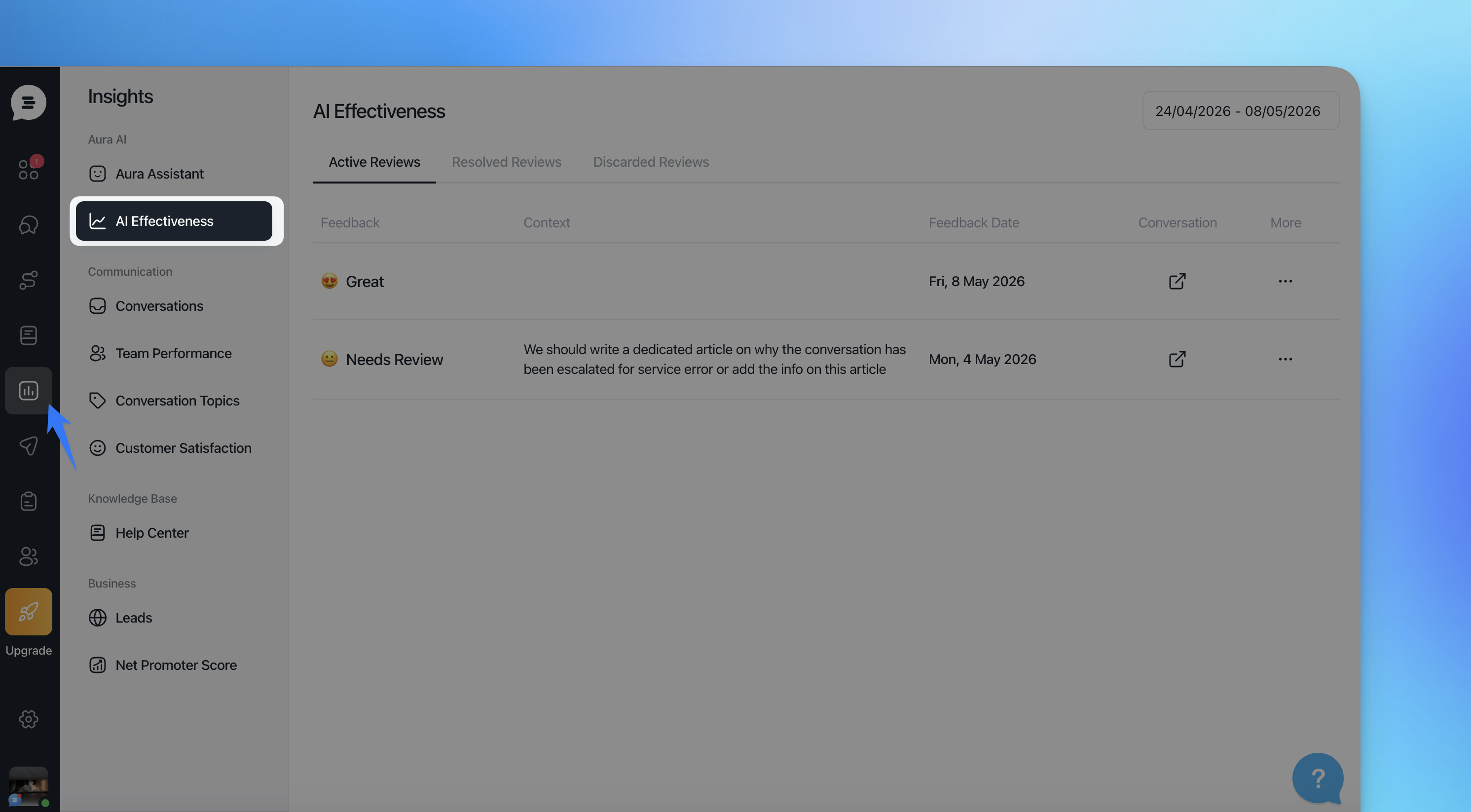
Inside the AI Effectiveness section, reviews are organized into three tabs:
Active Reviews
This section contains all newly submitted reviews that still require action.
Each review displays:
Feedback status
Optional reviewer context
Review date
Direct link to the related conversation
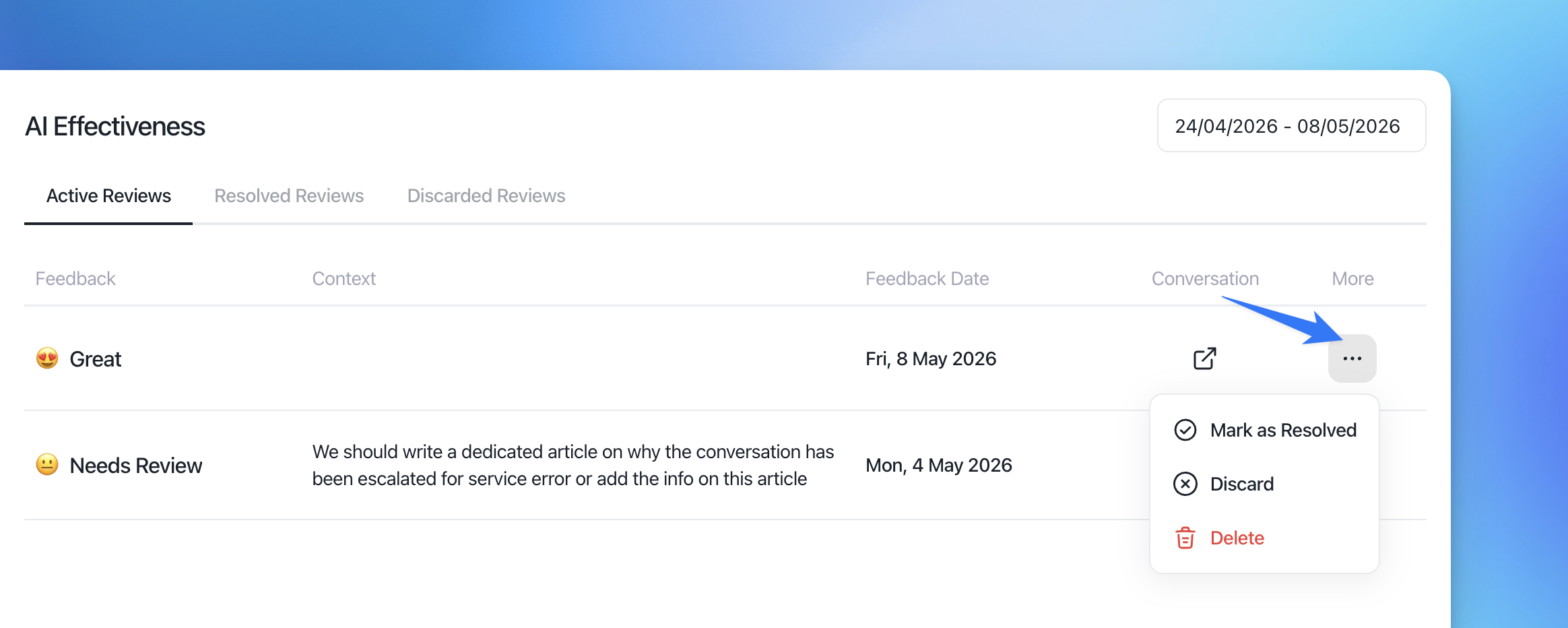
From the ⋯ menu, you can:
Mark as Resolved
Discard the review
Delete the review
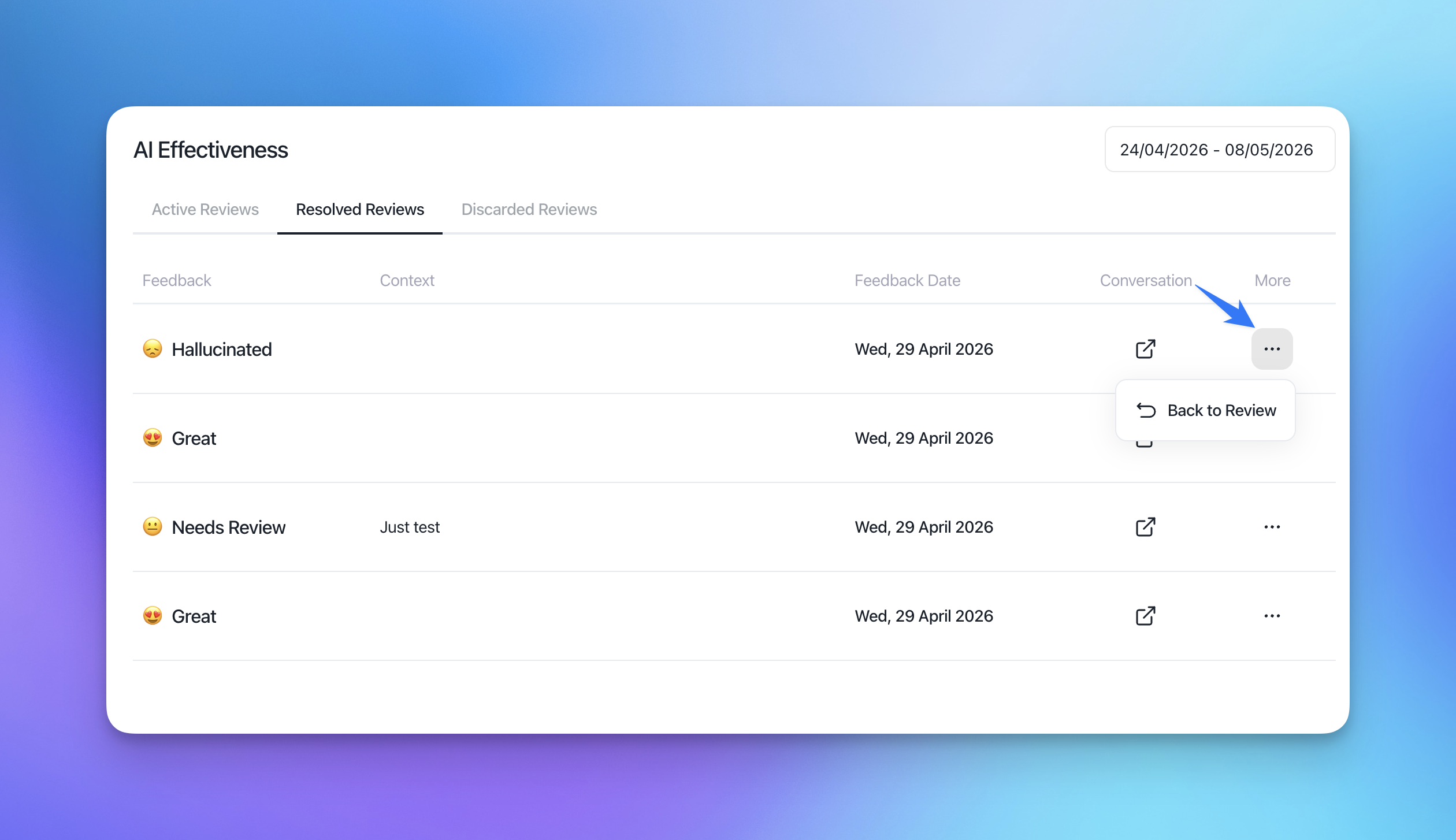
Resolved Reviews
Resolved reviews are reviews that have already been processed by your team.
You can still:
Open the related conversation
Move the review back to Active Reviews using Back to Review
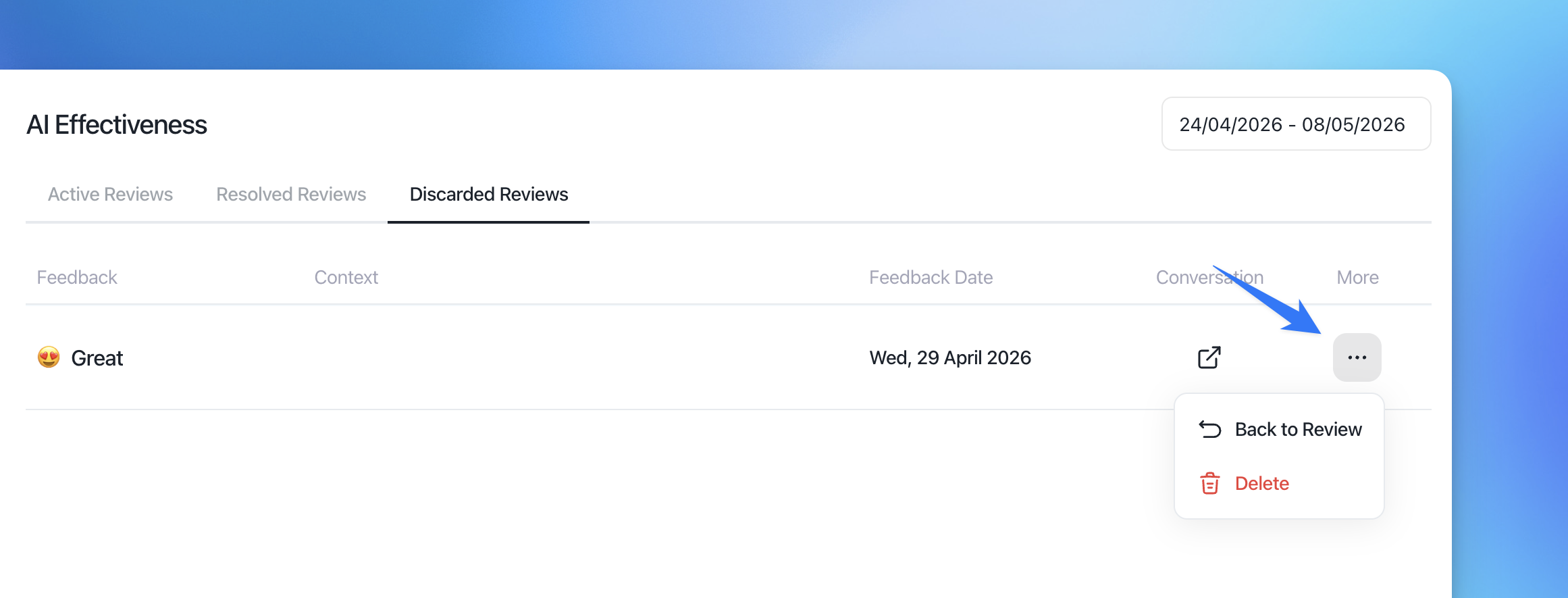
Discarded Reviews
Discarded reviews are hidden from the active workflow but remain accessible for future reference.
From this section, you can:
Restore the review using Back to Review
Permanently delete the review
Best practices
We recommend reviewing AI interactions regularly to continuously improve Aura’s performance.
Some common workflows include:
Reviewing hallucinated responses weekly
Tracking recurring escalation patterns
Collecting feedback from support managers
Using review context to improve AI prompts and knowledge base content
Monitoring trends in AI-generated replies
Notes
Only Aura-generated replies can be reviewed.
Single-message reviews can be submitted even while the conversation is still open.
Entire conversation reviews are available only after the conversation has been closed.
Deleted reviews cannot be restored.
Reviews help improve internal monitoring and AI optimization workflows.