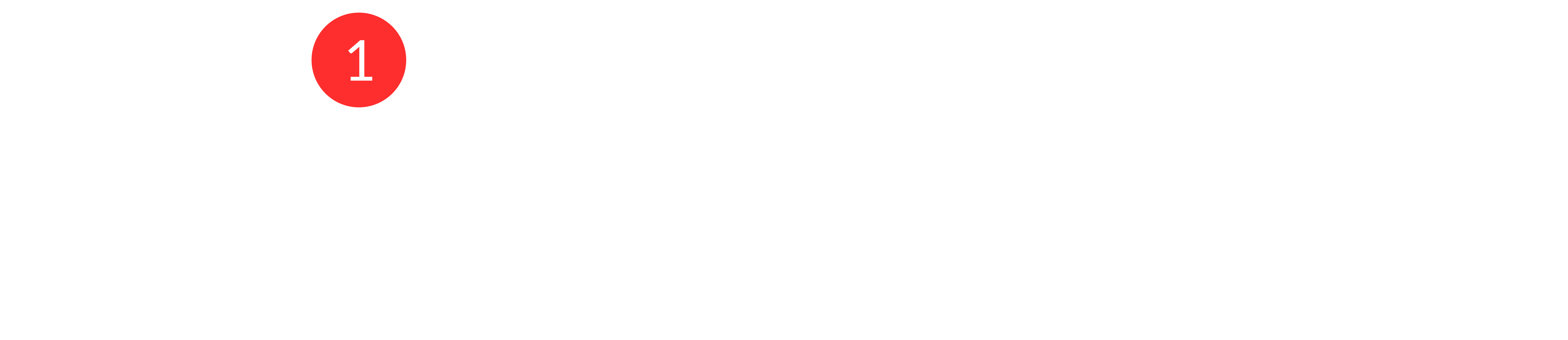
The AI actions define how Aura behaves inside a flow at a specific step.
They do not represent a single global AI configuration, and they do not control when flows are triggered. Instead, each AI action determines what Aura should do at that exact point in the flow.
When a conversation reaches an AI action, Aura executes the behavior configured in that action.
AI Mission
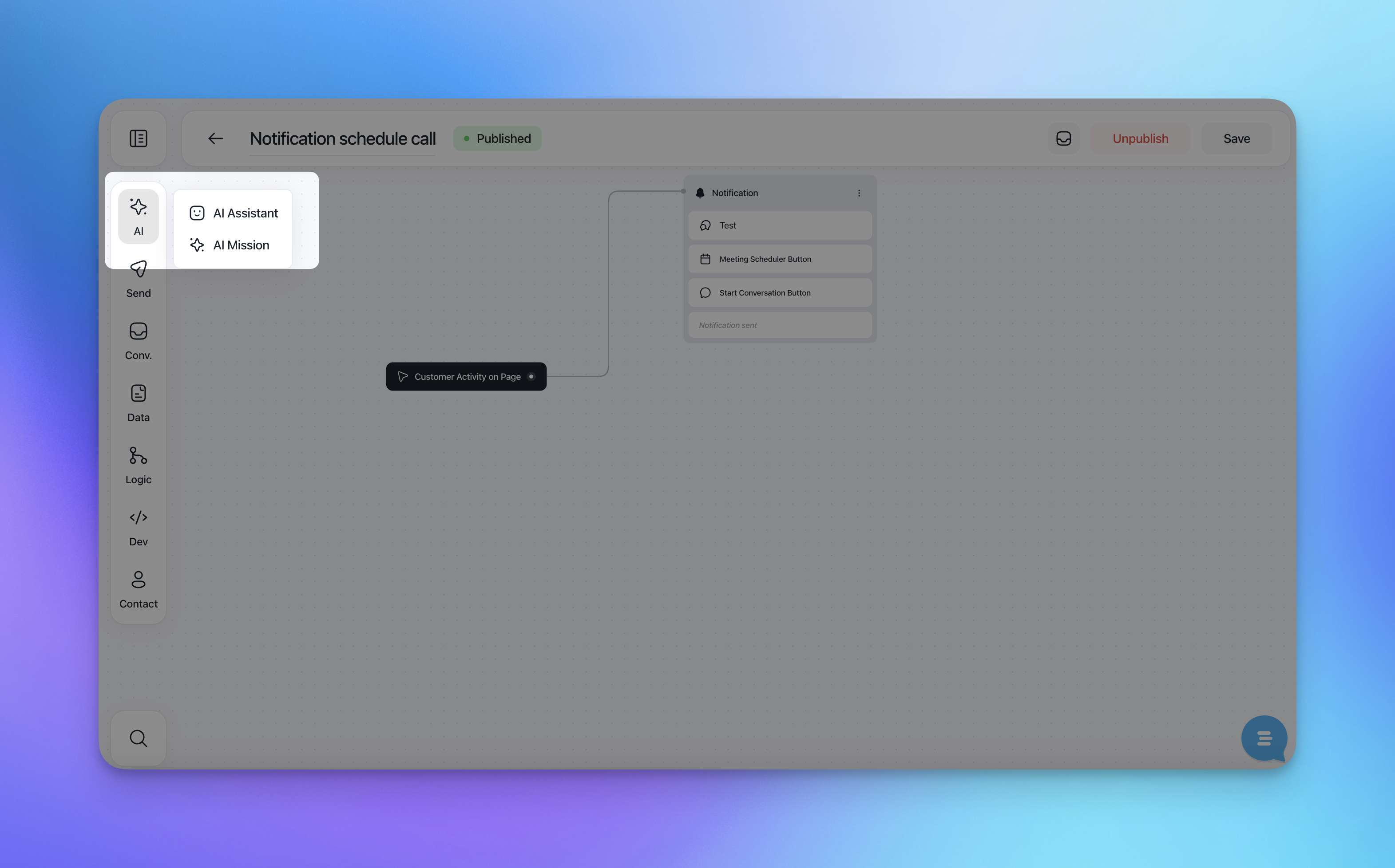
The AI Mission defines the high-level goal Aura should pursue during a conversation.
In the Mission goal field, you can write instructions that guide Aura's behavior, tone, and objectives.
This is where you clarify what success looks like for the AI in this flow (for example: resolving a request, collecting information, or routing the conversation correctly).
You can also:
Type instructions manually
Use
/to access tools and additional options while writing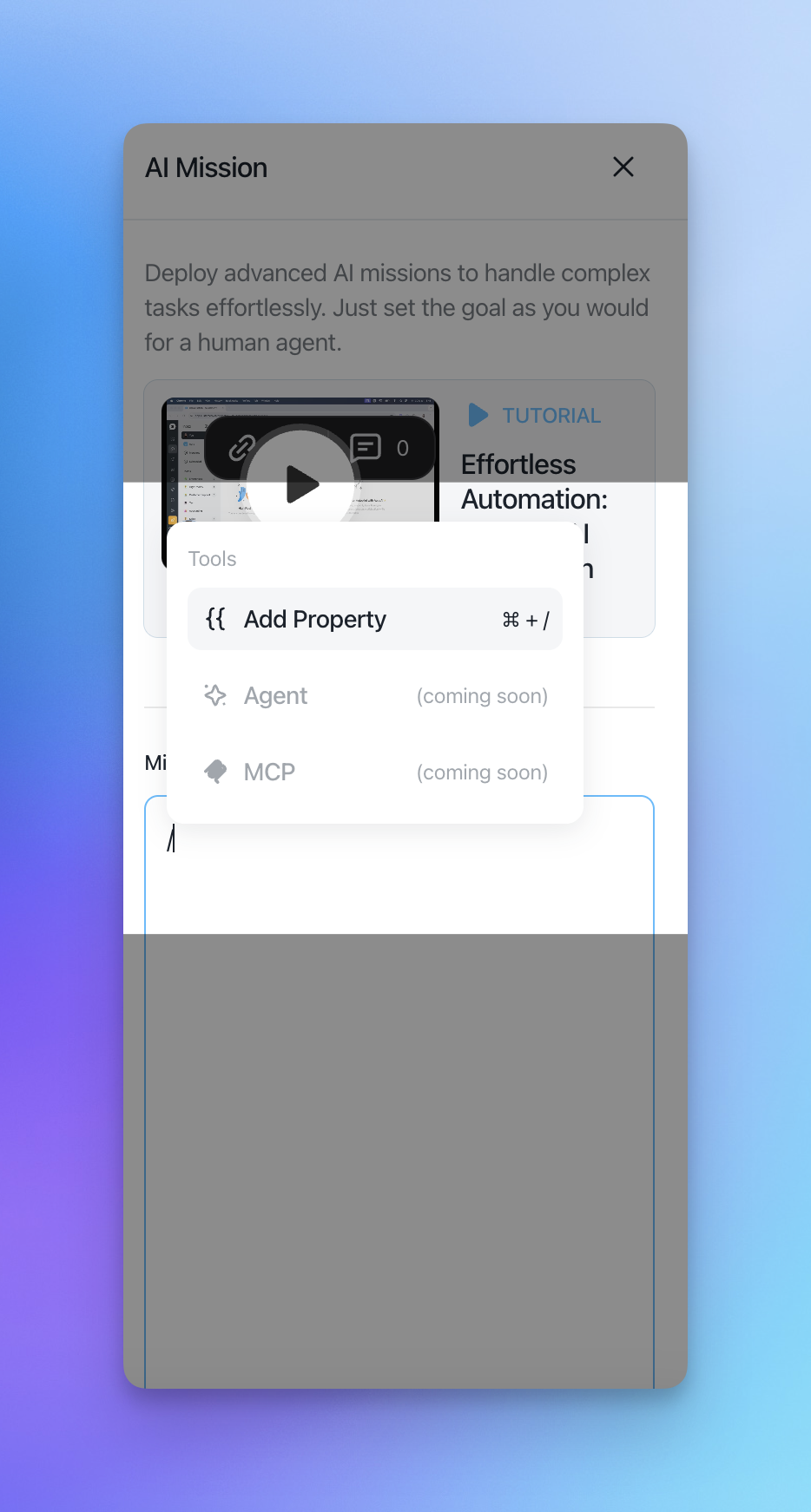
Provide access to Knowledge
At the bottom of the AI Mission panel, you can decide whether Aura should have access to your Knowledge.
When enabled, Aura can use Help Center articles to generate answers.
When disabled, Aura will rely only on the instructions provided in the mission and the logic of the flow.
This allows you to precisely control when the AI should answer freely and when it should strictly follow the flow.
AI Assistant
The AI Assistant section gives you visibility and control over how Aura operates across conversations.
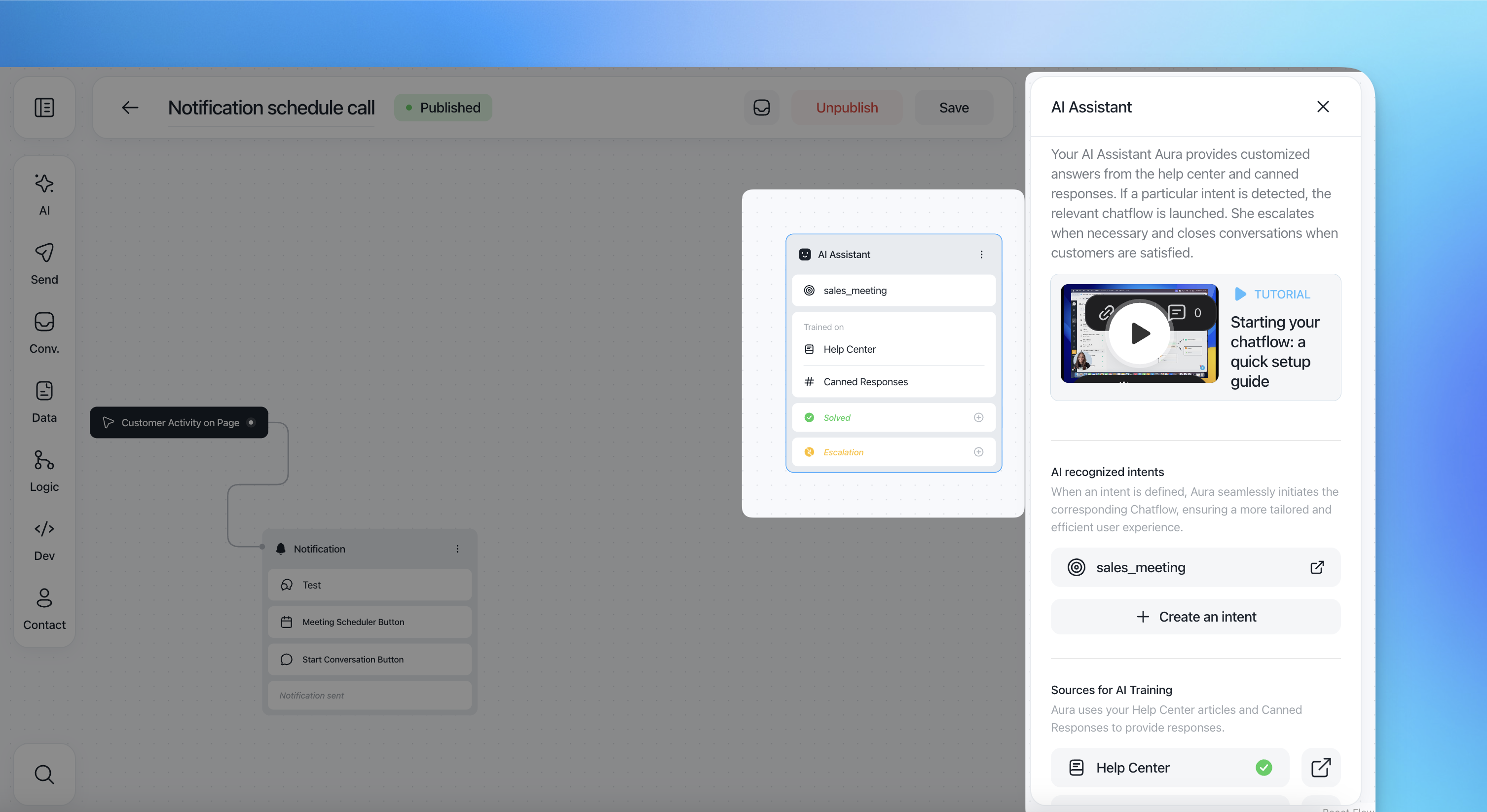
Aura:
Provides customized answers using Help Center content and canned responses
Detects user intent and automatically launches the relevant flow
Escalates conversations when necessary
Closes conversations when the customer's request is resolved
AI recognized intents
Here you can see all the intents currently recognized by Aura.
Each intent is linked to a specific flow
When an intent is detected, the corresponding flow is triggered automatically
You can click an intent to view or edit the connected flow
You can create new intents directly from this section
This ensures a seamless transition between free-form AI responses and structured automation.
Sources for AI training
In this section, you manage the sources Aura uses to generate responses.
Currently, Aura can be trained using:
Help Center articles
Canned responses
A green checkmark indicates that a source is active. You can open each source to review or update its content, ensuring the AI always reflects accurate and up-to-date information.
When to use the AI Action
Use the AI action when you want Aura to:
Handle conversations autonomously
Decide when to trigger flows based on intent
Combine AI-generated responses with structured automation
Scale support while maintaining consistent answers
The AI action acts as the decision-making layer of your flow, connecting user intent, knowledge, and automation into a single experience.